
Embroidery Digitizing
DST vs PES vs EXP vs JEF: Which Embroidery File Format Do You Need?
By Tajima Digitizer Team · October 5, 2026
DST vs PES vs EXP vs JEF: Which Embroidery File Format Do You Need?
You have the logo. The design has been digitized. Now your embroidery machine asks for a file—and suddenly you are choosing between DST, PES, EXP, JEF, and a collection of other extensions that all seem to contain the same design.
So which one is right?
The short answer is simple:
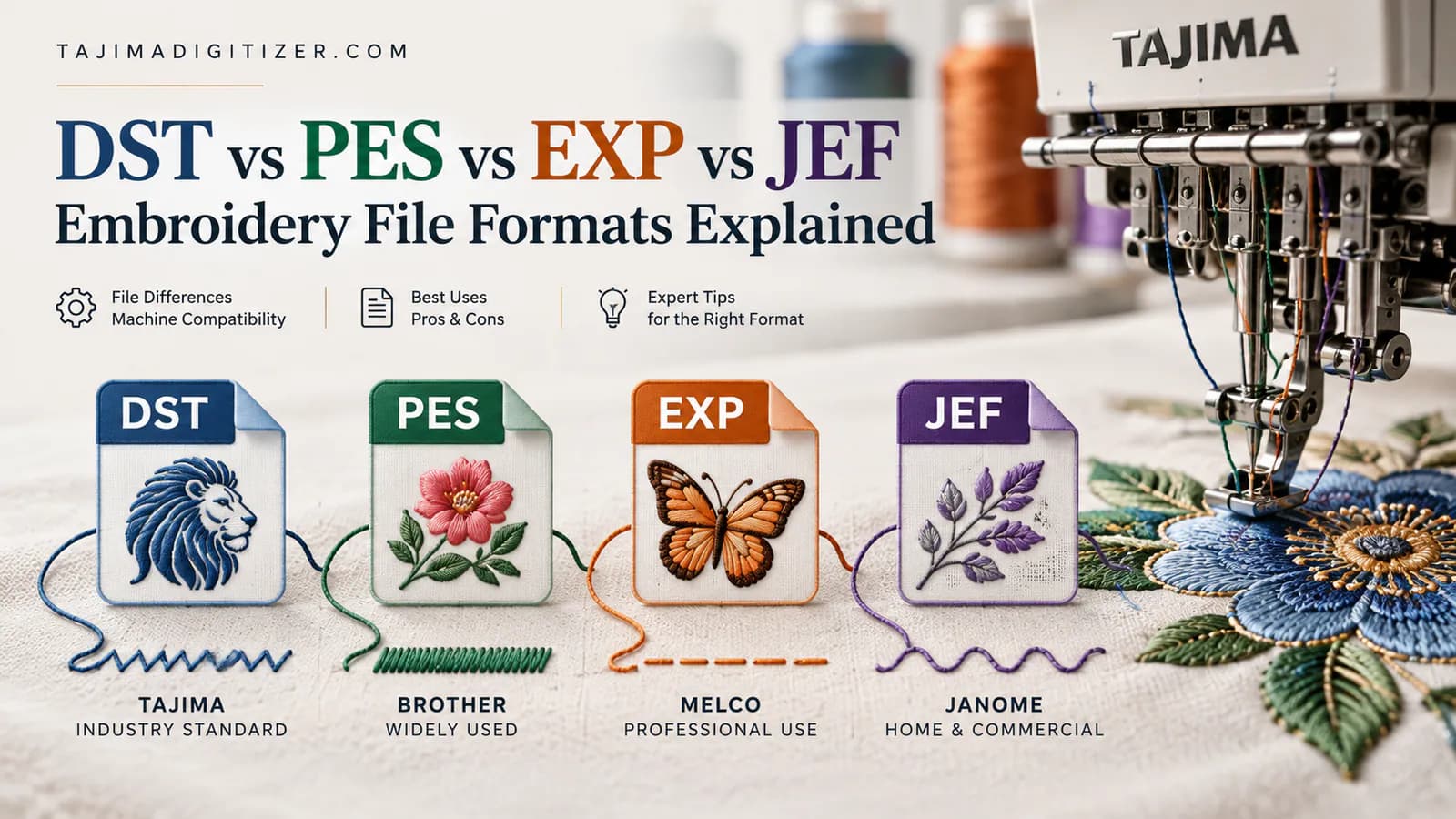
DST is commonly associated with Tajima and widely used in commercial embroidery, PES with Brother and Baby Lock, EXP with Melco, and JEF with Janome and Elna machines.
But that is only the beginning.
Embroidery file formats do more than give a file a different extension. Different formats can handle machine instructions, color information, hoop-related data, and other production details differently. A design may open perfectly in one embroidery system yet need additional setup in another.
And there is an even more important distinction:
The correct file format makes a design compatible with your machine. Good digitizing makes it sew well.
Those are not the same thing.
This guide explains DST vs PES vs EXP vs JEF, what each embroidery file format is used for, where the differences matter in production, and how to choose the correct file for your embroidery machine.
If you already have artwork rather than a stitch file, Tajima Digitizer’s professional embroidery digitizing service can convert it into production-ready machine files in the format your equipment requires. Tajima Digitizer currently supplies DST, PES, EXP, JEF and several other common embroidery formats. Tajima Digitizer
DST, PES, EXP and JEF at a Glance
Here is the practical version first.
Format | Commonly Used With | Best Known For | Important Consideration |
|---|---|---|---|
DST | Tajima and many commercial embroidery workflows | Broad industry compatibility | Does not reliably carry actual thread-color information |
PES | Brother, Baby Lock, Deco | Strong integration with Brother-family machines and software | Different PES versions may matter on older machines |
EXP | Melco; also used in some BERNINA workflows | Commercial machine stitch data | Color information may depend on companion data or workflow |
JEF | Janome, Elna, some Kenmore systems | Native Janome/Elna machine stitch format | Machine and hoop compatibility still needs to be checked |
Wilcom identifies DST as a Tajima machine format, EXP as Melco, PES as Brother/Babylock/Deco, and JEF as Janome/Elna/Kenmore. Tajima Digitizer’s own FAQ gives customers the same practical guidance for Tajima, Brother/Baby Lock, Melco, and Janome equipment. Wilcom International
Now let’s look at what those differences mean when you actually load a design and start sewing.
What Is an Embroidery File Format?
An embroidery machine cannot stitch directly from a normal JPG, PNG, or PDF logo.
Artwork first has to be digitized.
During digitizing, the artwork is translated into embroidery instructions: where stitches should go, which direction they should run, where the machine should stop, when colors change, and how different sections of the design should be sequenced.
The resulting production file is then exported in a format your embroidery machine can read.
That production format might be DST, PES, EXP, JEF, VP3, HUS, or something else.
This distinction matters because a machine embroidery file is not the same as an ordinary image.
Your JPG describes pixels.
Your SVG or AI file describes graphic shapes.
Your embroidery machine file describes stitch movement and machine commands.
Wilcom describes machine formats such as DST, EXP, PES, and JEF as stitch-oriented production formats rather than fully editable design files. Wilcom International
What Is a DST Embroidery File?
DST stands for a Tajima embroidery machine format and has become one of the most recognizable formats in commercial embroidery.
It is widely supported by embroidery software and equipment, which is why shops often ask for a DST even when they operate more than one machine brand.
DST is especially common in multi-head and commercial production environments.
What a DST File Contains
At its core, a DST file contains the movement information the embroidery machine needs to reproduce the stitch pattern, along with commands such as stops or color changes.
What it generally does not reliably preserve is the exact thread color you see in the digitizing software.
That can surprise new embroiderers.
You may create a logo in navy, white, and red, load the DST into another system, and see completely different preview colors.
That does not necessarily mean the file is damaged.
Janome explicitly notes in its machine documentation that Tajima DST data does not contain thread-color information, so colors may be assigned automatically when the design is opened. Janome
The color-change sequence can still be there. What may be missing is the instruction saying, in effect, “use this exact brand and shade of navy thread.”
When DST Is a Good Choice
DST is an excellent choice when your machine requests Tajima-format files or when you need a widely recognized commercial production format.
It is also useful when files move between different embroidery environments because DST enjoys broad industry support. Wilcom lists DST among its standard Tajima machine formats, and Brother and Janome documentation shows that certain machines in those ecosystems can also read DST. Wilcom International
That does not mean every machine reads every DST perfectly, however.
Always confirm the formats supported by your specific machine model.
Why Did My DST File Open in the Wrong Colors?
This deserves its own section because it causes so much unnecessary confusion.
Suppose a customer sends you a four-color company logo in DST format.
You open it and see yellow, purple, green, and orange—even though the actual logo should be black, red, white, and blue.
The natural reaction is:
“Something is wrong with the digitizing.”
Possibly—but not because of the preview colors alone.
DST can preserve where color changes occur without carrying the actual thread-color identity expected by your machine or software.
In production, you may simply need to assign the correct thread colors or needles according to the approved color sequence.
This is why a preview image, production worksheet, thread chart, or clear color instructions are useful when DST files change hands.
The important checks are whether the color stops occur in the correct order and whether the stitches themselves are properly digitized.
What Is a PES Embroidery File?
PES is strongly associated with Brother and Baby Lock embroidery machines and is commonly used throughout that ecosystem.
Brother lists PES as a supported embroidery format across numerous machine models and notes that different PES versions may be available for compatibility with older equipment. Brother USA Help
For users working primarily with Brother-family machines, PES is often the most convenient production format.
Why PES Can Be More Convenient Than DST
Compared with basic stitch-oriented formats such as DST, PES can carry additional design information used by compatible Brother-family machines and software.
From the operator’s perspective, one of the practical benefits is that a PES workflow may preserve more useful design and color-related information within its native ecosystem.
That can reduce some of the manual setup associated with moving a generic DST between systems.
However, you still need the correct PES version for the machine.
A brand-new PES export is not automatically the best choice for a much older embroidery machine. Brother specifically advises using the latest PES version that remains compatible with the target equipment. Brother USA Help
Who Should Request PES?
If you run a Brother or Baby Lock machine and its manual lists PES as a supported format, PES is usually an appropriate first choice.
Tajima Digitizer supplies PES among its supported output formats, so a customer ordering a digitized logo for embroidery can request the machine-ready version appropriate for Brother-family equipment. Tajima Digitizer
What Is an EXP Embroidery File?
EXP is commonly associated with Melco embroidery systems.
Tajima Digitizer identifies EXP as the typical format for Melco machines, while Wilcom also lists EXP as a Melco machine format and notes its use in certain BERNINA workflows. Tajima Digitizer
Like DST, EXP is primarily concerned with telling embroidery equipment how to stitch the design.
What About EXP Colors?
This is where EXP can become confusing.
A basic EXP production file should not be treated as though it necessarily carries every piece of color information required by every workflow.
Some systems use companion information alongside EXP. Wilcom, for example, documents an additional INF color-information file in certain EXP export workflows, while Melco notes that its machines can use EXP with color information supplied through associated data. Melco has also introduced EXP+ functionality that can include specific color information. Wilcom API Guide
For an embroidery operator, the practical lesson is straightforward:
Do not assume a file is wrong merely because an EXP preview does not reproduce the original thread colors exactly.
Confirm the color sequence and your machine’s workflow.
When Should You Use EXP?
Use EXP when your Melco system or embroidery software specifically calls for it.
Because machine capabilities vary by generation and software configuration, checking the actual machine documentation remains better than choosing a format solely by brand name.
What Is a JEF Embroidery File?
JEF is the native machine stitch format used by Janome and Elna embroidery machines.
Janome describes JEF as the default format for its embroidery equipment and distinguishes it from editable master-design formats such as JAN or EMB. According to Janome, JEF contains the machine-readable stitch coordinates and instructions required to sew the design. Janome
That distinction is useful.
A JEF is designed to get the embroidery onto the machine.
It is not intended to replace the original editable digitizing file.
When Should You Use JEF?
If you operate a Janome or compatible Elna embroidery machine and its manual requests JEF, use JEF.
Certain Janome machines can also read DST, but using the machine’s native format can make sense when your workflow is centered on Janome equipment. Janome
You should still check your machine’s embroidery field and hoop restrictions.
A design can be saved in a technically compatible file format and still be too large for the hoop your machine supports.
Format compatibility does not override physical machine limits.
DST vs PES vs EXP vs JEF: Which Format Is Best?
There is no single “best” embroidery file format.
There is a best format for your machine and workflow.
If your Tajima production machine expects DST, requesting PES simply because PES can contain useful metadata does not improve the job.
If your Brother machine works best with PES, receiving only an EXP is inconvenient even if the embroidery itself was digitized beautifully.
The correct question is therefore not:
Which embroidery format has the most features?
It is:
Which machine format does my equipment require?
For most users, the decision looks like this:
Tajima → DST
Brother/Baby Lock → PES
Melco → EXP
Janome/Elna → JEF
That matches the practical machine-format guidance published in Tajima Digitizer’s embroidery digitizing FAQ. Tajima Digitizer
Treat that as a starting point, not a substitute for checking your exact machine model.
Does the Embroidery File Format Affect Stitch Quality?
Not in the way many people think.
A design does not become better digitized because it was saved as DST instead of PES.
And a poor embroidery design will not suddenly sew cleanly because someone converted its JEF file to EXP.
The core stitch quality was determined earlier during digitizing.
That includes decisions such as:
stitch type, density, underlay, pull compensation, stitch direction, sequencing, trims, and how the artwork was simplified for thread.
Tajima Digitizer’s custom embroidery service specifically builds files around those production decisions and then exports the result into the machine format the customer needs. Tajima Digitizer
Think of it this way:
Digitizing determines what the machine will sew.
The file format determines how those instructions are delivered to the machine.
That is one of the most important concepts to understand about embroidery files.
Can You Convert DST to PES, EXP or JEF?
Usually, yes.
Modern embroidery software can convert many common machine formats. Wilcom, for example, supports conversion among formats including DST, PES, EXP, and JEF. Wilcom International
But there is a catch.
File conversion is not redigitizing.
If a DST contains poor stitch angles, excessive density, bad lettering, or inefficient sequencing, saving it as PES will preserve the underlying problems.
You have changed the container, not rebuilt the embroidery.
Conversion can also be limited by what the source format originally stored. Information that never existed in the DST cannot magically be reconstructed just because the output is now PES.
That is why it is better to export required machine formats from the original digitizing master whenever possible rather than repeatedly converting one stitch format into another.
A File Opens on the Machine. Does That Mean It Is Ready to Sew?
Not necessarily.
File compatibility answers one question:
Can the machine read this file?
Production readiness answers several others.
Will it fit the hoop? Is the finished size correct? Does the design use an appropriate stitch sequence? Are small letters clean enough at that size? Is the density suitable for the fabric? Was it prepared for a flat garment or a curved cap?
Those details can matter far more than the extension at the end of the filename.
A good example is cap embroidery.
A DST produced for a flat polo and a DST produced for a structured cap may have exactly the same extension, yet the actual files should be constructed differently.
Tajima Digitizer’s cap and hat digitizing service uses center-out, bottom-up sequencing, curve compensation, and cap-appropriate underlay because curved frames behave differently from flat hoops. Tajima Digitizer
The format is only one part of making a file machine-ready.
Why You Should Not Simply Rename an Embroidery File Extension
Changing logo.dst to logo.pes does not convert DST into PES.
It only changes the filename.
The data inside the file still follows the original format's structure, so the receiving machine or software may reject it or fail to interpret it correctly.
Real conversion requires embroidery software capable of reading the source format and exporting the target machine format.
The same principle applies to artwork.
Renaming logo.jpg to logo.dst does not create an embroidery file.
Artwork has to be digitized into stitches first.
Can a JPG, PNG, PDF or SVG Be Converted to DST or PES?
Yes—but this is where the word converted can be misleading.
A normal artwork file contains visual information.
An embroidery file contains sewing instructions.
Someone still has to decide how the artwork should become stitches.
For example, a professional digitizer may decide that a thin line should become a satin column, a large shape should use a fill stitch, tiny detail should be simplified, and the background should sew before foreground lettering.
Software cannot get those production decisions right merely by changing the file type.
Tajima Digitizer accepts artwork including PNG, JPG, PDF, AI, EPS, and SVG and builds the machine stitch file from that artwork. Tajima Digitizer
That process is what turns artwork into embroidery—not the final three-letter extension.
What File Should You Send to a Digitizer?
If you are ordering digitizing, send the best-quality original artwork you have rather than trying to create the embroidery format yourself.
Vector artwork such as AI, EPS, SVG, or a clean PDF is useful because edges and shapes are clearly defined.
A high-resolution PNG or JPG can also work.
Then provide your finished embroidery size, garment type, placement, and machine format—or at least the machine brand and model.
Tajima Digitizer asks customers for this information during its artwork-to-stitch-file ordering process. The design is then built by hand, previewed, and delivered in the requested production format. Tajima Digitizer
Four File-Format Mistakes That Cause Avoidable Production Problems
1. Assuming DST Contains the Original Thread Colors
A DST may open with colors that look nothing like the customer’s logo.
Check the color sequence and production instructions before assuming the file itself is defective. DST does not inherently preserve thread-color information in the way many users expect. Janome
2. Choosing a Format by Brand Without Checking the Model
“Brother uses PES” is useful general guidance.
It is not a replacement for your machine manual.
Some machines support several file types, and older models may have specific format-version, storage, naming, or embroidery-field restrictions. Brother itself lists different supported format combinations across models. Brother USA Help
3. Believing Format Conversion Repairs Bad Digitizing
A bad DST converted to PES is usually still a bad embroidery design.
If the problem is puckering, poor registration, excessive density, bad small lettering, or an unsuitable cap sequence, the stitch file needs to be corrected—not merely re-exported.
4. Resizing a Stitch File Too Aggressively
Machine files are fundamentally different from fully editable digitizing master files.
Large changes in size can affect stitch length, density, satin-column width, and other properties. Wilcom specifically distinguishes object-based master files from machine stitch formats and warns that machine files offer much less editing and scaling flexibility. Wilcom International
If you need the same company logo at 3.5 inches for a polo and 10 inches for a jacket back, having the digitizer prepare appropriate versions is safer than treating one machine file as infinitely scalable.
What About VP3, HUS, PCS and XXX?
DST, PES, EXP, and JEF are not the only embroidery file formats.
Depending on your equipment, you may encounter formats including VP3, HUS, PCS, XXX, PEC, SEW, and others.
VP3 and HUS are commonly associated with Husqvarna/Viking/Pfaff workflows. PCS is associated with Pfaff, while XXX is commonly associated with Singer. Wilcom lists these alongside DST, PES, EXP, and JEF among established machine stitch formats. Wilcom International
Tajima Digitizer currently lists DST, PES, EXP, JEF, VP3, HUS, PCS, and XXX among its supported embroidery outputs. Tajima Digitizer
So if your machine does not use one of the “big four,” that does not mean your artwork cannot be professionally digitized.
How to Choose the Right Embroidery File Every Time
The safest workflow is surprisingly simple.
First, check your machine manual or supported-format menu.
Then tell your digitizer the machine brand and model, not merely what format you think you need.
Provide the exact finished embroidery size and describe what you are sewing—polo, jacket, cap, patch, towel, fleece, bag, or another product.
Finally, keep the final approved production file clearly labeled with the size, application, and format.
A filename such as:
Acme_Logo_LeftChest_3.5in_PES
is far more useful six months later than:
logo-final-2-new.pes.
For commercial shops managing dozens or hundreds of customer designs, disciplined file naming can prevent the wrong size or wrong machine version from reaching production.
Frequently Asked Questions About Embroidery File Formats
What is the most universal embroidery file format?
DST is one of the most widely supported commercial embroidery formats, but no format is truly universal. Your machine's documented compatibility should always determine which production file you use.
Is DST better than PES?
Neither is universally better. DST is widely used in commercial embroidery and Tajima workflows, while PES is designed around Brother/Baby Lock systems. The best choice is the format your machine handles properly.
Can Brother machines use DST?
Some Brother embroidery machines support both PES and DST, but compatibility varies by model. Brother publishes model-specific lists of acceptable file types, so check the documentation for your machine. Brother USA Help
Can Janome machines open DST?
Some Janome machines can read DST as well as JEF. Janome documentation for models such as the MB-7 lists both formats but notes that DST does not contain thread-color information. Janome
What embroidery file does a Melco machine use?
EXP is a common Melco production format. Modern Melco systems may also support DST and Melco's richer OFM format, depending on the machine and workflow. Melco
What embroidery file does Janome use?
JEF is Janome's standard machine stitch format. Janome describes it as the default format for Janome/Elna embroidery machines. Janome
Why does my DST have the wrong colors?
DST does not reliably contain actual thread-color information. Your software or machine may assign preview colors automatically. The important information is the correct color-change sequence; the operator can then assign the required thread shades. Janome
Can I convert PES to DST without losing quality?
The stitches can usually be converted between common production formats, but conversion cannot restore information that the source format did not contain. It also does not improve the original digitizing. Whenever possible, export each required machine format from the original digitizing master rather than repeatedly converting production files.
Is an embroidery file the same as a digitized file?
A machine-ready DST, PES, EXP, or JEF is a digitized embroidery output, but it is generally not the same as the digitizer's fully editable master design. Machine files primarily contain the information required for production, while editable master formats can retain much richer object and digitizing data. Wilcom International
Final Answer: Use the Format Your Machine Needs—But Start With Good Digitizing
The difference between DST vs PES vs EXP vs JEF is important, but it should not distract from the part of the process that determines how your embroidery actually looks.
Choose the correct format so your machine can read the design.
Choose professional digitizing so your machine has a well-built design to read.
For most operators, the basic format guide is straightforward: DST for Tajima-oriented workflows, PES for Brother/Baby Lock, EXP for Melco, and JEF for Janome/Elna. If you are unsure, check your machine model rather than guessing.
Then focus on the factors that determine the sew-out: stitch direction, underlay, density, pull compensation, sequencing, finished size, and the fabric or product being embroidered.
Tajima Digitizer builds artwork into production-ready embroidery files for shops, uniform suppliers, promotional-product businesses, apparel brands, and other decorators. Every standard embroidery digitizing order includes the requested machine formats, a stitch-out preview, and revision support. Tajima Digitizer
Have artwork but not the right machine file?
Start with Tajima Digitizer’s custom embroidery digitizing service. Send your artwork, finished size, garment type, and machine information, and the design can be prepared in the appropriate DST, PES, EXP, JEF, or other supported production format.