
Embroidery Digitizing
Embroidery File Types: DST, PES, EXP, JEF, VP3 & More
By Tajima Digitizer · September 27, 2026
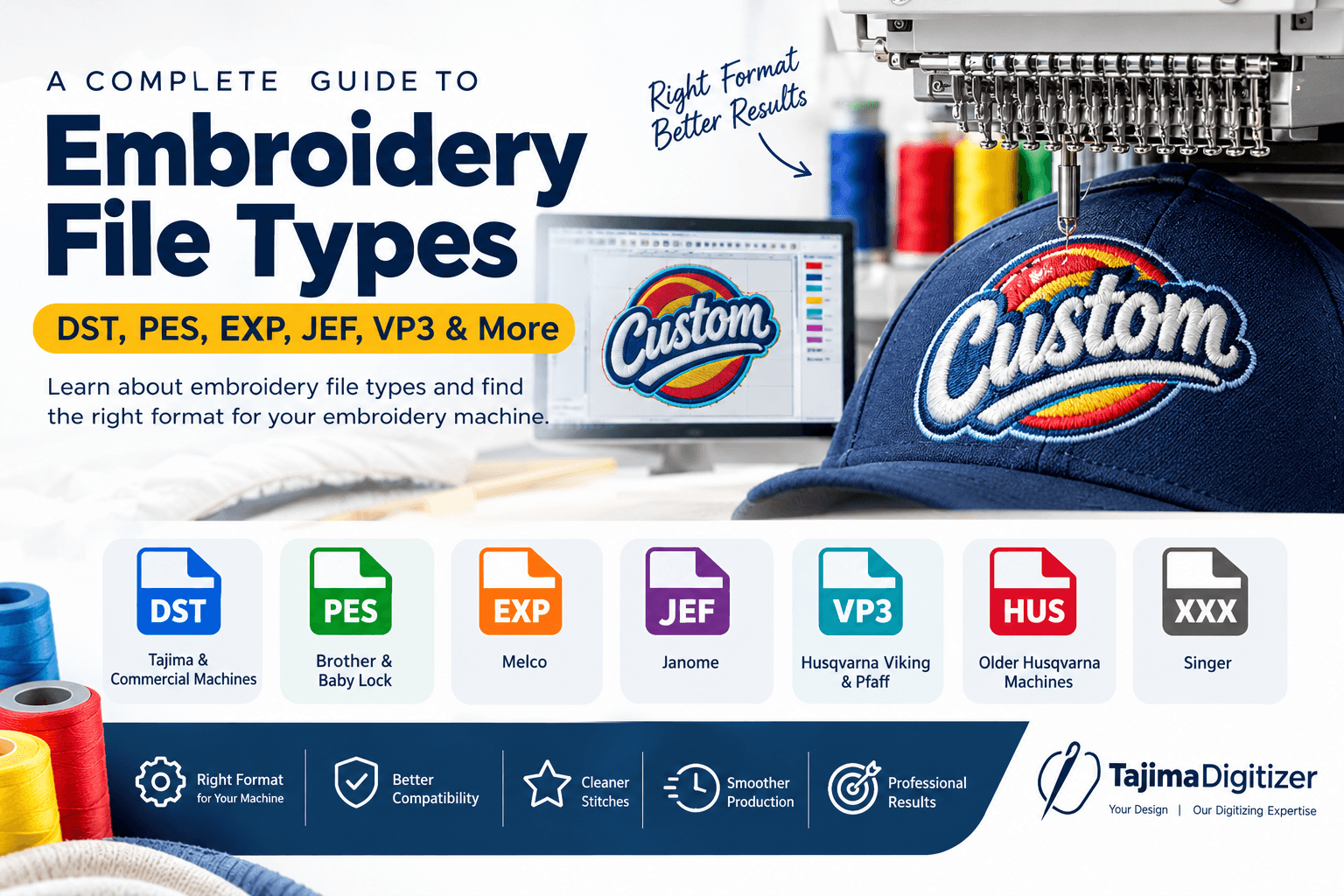
Embroidery File Types: DST, PES, EXP, JEF, VP3 & More
Choosing the right embroidery file types is an important part of machine embroidery. The correct file format allows your embroidery machine to read the stitch information and sew the design correctly.
Common embroidery formats include DST, PES, EXP, JEF, VP3, HUS, and XXX. Each format is designed for specific embroidery machines or software.
In this guide, you will learn what embroidery file types are, how they work, and which format you may need for your embroidery machine.
What Are Embroidery File Types?
An embroidery file contains the stitch instructions needed by an embroidery machine.
Unlike a JPG or PNG, an embroidery file does not simply display an image. It tells the machine how to create the design with stitches.
An embroidery file can contain information such as:
Stitch placement
Stitch direction
Stitch length
Stitch sequence
Thread colors
Needle changes
Trim commands
Jump stitches
Design size
Before artwork can be stitched, it must be converted into a machine-readable embroidery file through embroidery digitizing.
During digitizing, the artwork is converted into stitches and prepared for the intended fabric, size, and embroidery machine.
Why Is the Correct Embroidery File Format Important?
Different embroidery machines support different file formats.
For example, DST is widely used with Tajima and commercial embroidery machines. PES is commonly used with Brother and Baby Lock machines, while JEF is associated with Janome machines. VP3 and HUS are associated with certain Husqvarna Viking systems.
Using the correct format helps prevent compatibility problems and production errors.
Before ordering or exporting a design, check:
Your machine brand
Your machine model
Required file format
Maximum embroidery area
Hoop size
Design size
For professional embroidery, the file format and stitch settings should both match the machine and production requirements.
Common Embroidery File Formats
DST — Tajima Embroidery Format
DST is one of the most widely used embroidery file formats, especially in commercial embroidery.
It is commonly associated with Tajima machines and many professional embroidery systems.
DST files are frequently used for:
Company logos
Uniforms
Workwear
Caps
Jackets
Promotional products
Commercial embroidery
If your machine requires DST, provide the machine information to your digitizer before the design is prepared.
PES — Brother Embroidery Format
PES is commonly associated with Brother and Baby Lock embroidery machines.
It is widely used by home embroiderers and small embroidery businesses.
Because different machines may support different PES versions, always check your specific machine before exporting the final design.
EXP — Melco Embroidery Format
EXP is commonly associated with Melco embroidery systems.
It is used in professional embroidery workflows and may also be supported by embroidery software.
Check your machine or software requirements before selecting EXP.
JEF — Janome Embroidery Format
JEF is commonly associated with Janome embroidery machines.
Janome users may need a JEF file when transferring a design to their machine.
Providing the exact machine model helps ensure that the design is prepared correctly.
VP3 — Husqvarna Viking and Pfaff
VP3 is associated with Husqvarna Viking and Pfaff embroidery systems.
It is used by compatible machines and embroidery software.
Always confirm that your machine supports the required VP3 version before production.
HUS — Husqvarna Viking
HUS is another embroidery file format associated with Husqvarna Viking machines.
It is particularly relevant when working with older embroidery systems.
Check your machine documentation or software before choosing HUS.
XXX — Singer Embroidery Format
XXX is associated with Singer embroidery machines.
If your Singer machine requires an XXX file, provide the exact machine model when ordering custom digitizing.
Embroidery Files vs. Image Files
Many people confuse artwork files with embroidery files.
Common artwork formats include:
JPG
PNG
PDF
AI
EPS
SVG
These files can display your artwork, but they do not contain the stitch instructions required by an embroidery machine.
Your artwork must first be converted into an embroidery design through digitizing.
During this process, a digitizer determines:
Stitch types
Stitch direction
Stitch density
Underlay
Stitch sequence
Thread colors
Pull compensation
Design size
If you want to understand how artwork becomes a machine-ready design, read our guide on turning artwork into an embroidery stitch file.
How to Choose the Right Embroidery File Type
Choosing the correct format does not have to be difficult.
1. Check Your Embroidery Machine
Find your machine brand and exact model.
2. Check the Required Format
Use your machine manual or manufacturer's software information to confirm the supported file format.
3. Tell Your Digitizer
Provide the machine brand, model, hoop size, and required format when ordering custom embroidery digitizing.
4. Confirm the Design Size
Tell the digitizer where the design will be embroidered.
A left-chest logo, cap design, jacket-back logo, and sleeve design may all require different sizes and stitch settings.
5. Test Before Production
Always test the design on similar fabric before starting a large embroidery order.
A test stitch can reveal problems that may not be visible on a computer screen.
Can One Embroidery Design Have Multiple File Formats?
Yes.
The same embroidery design can be prepared in multiple machine formats.
For example, a customer may need:
DST
PES
JEF
VP3
EXP
The design can be prepared for different machines while maintaining the same basic artwork and intended appearance.
However, simply changing the file extension does not create a valid embroidery file.
Proper embroidery software should be used to export or convert the design.
Can You Convert PES to DST?
Yes, compatible embroidery software can convert supported embroidery files from one format to another.
However, file conversion does not automatically improve the stitch quality.
A converted design may still have problems with:
Stitch density
Stitch direction
Underlay
Small lettering
Stitch sequence
Fabric settings
Design size
For complex embroidery, editing or redigitizing may be required.
This is especially important for:
3D puff embroidery
Cap embroidery
Small text
Detailed logos
High-density designs
The goal is not simply to create a different file extension. The goal is to create a file that stitches correctly.
Why Professional Embroidery Digitizing Matters
Choosing the correct file format is only one part of producing quality embroidery.
The stitch structure also needs to be suitable for the design, fabric, size, and machine.
Professional digitizing considers:
Stitch type
Stitch density
Stitch direction
Underlay
Pull compensation
Stitch sequence
Fabric type
Design size
Thread
Machine requirements
A properly digitized design can help produce cleaner stitches and a more consistent embroidery result.
For custom logo work, you can explore our custom logo embroidery digitizing service.
Custom Logo Embroidery Digitizing
Common Embroidery File Mistakes
Using the Wrong Format
Always confirm the file format supported by your machine before production.
Renaming a File Extension
Changing .PES to .DST does not create a genuine DST embroidery file.
Use compatible embroidery software for proper conversion.
Ignoring the Machine Model
The same brand can have different machines with different requirements.
Providing the exact model gives the digitizer better information for preparing the file.
Resizing Without Checking the Stitches
Embroidery designs are not always safe to resize significantly.
A design that works well at one size may need adjustments or redigitizing at another size.
Skipping the Test Stitch
A test stitch is important before large production runs.
It allows you to check the design on the actual or similar fabric.
Losing the Original Working File
Keep the original editable digitizing file.
It can be useful later if you need another size, format, or design adjustment.
Embroidery File Format Checklist
Before sending your design to production, check:
Machine brand confirmed
Machine model confirmed
Correct file format selected
Hoop size confirmed
Design size confirmed
Artwork checked
Stitching reviewed
Thread colors confirmed
Test stitch completed
Original working file saved
Following this checklist can help reduce production problems and save time.
Frequently Asked Questions
What is the most common embroidery file format?
DST is one of the most widely used embroidery formats, particularly in commercial embroidery. However, the correct format depends on your machine.
What file format does Brother use?
Brother embroidery machines commonly use PES. Check your exact model for the required file version.
What file format does Janome use?
JEF is commonly associated with Janome embroidery machines.
What file format does Tajima use?
DST is commonly associated with Tajima embroidery machines and many commercial embroidery systems.
Can I use a JPG for machine embroidery?
No. A JPG is an image file. It normally needs to be digitized into a machine embroidery format before it can be stitched.
Can PES be converted to DST?
Yes. Compatible embroidery software can convert supported PES files to DST. However, conversion does not automatically improve the stitch quality.
Which embroidery file format should I use?
There is no single format for every embroidery machine. The correct format is the one supported by your specific machine and software.
Final Thoughts
Understanding embroidery file types makes machine embroidery easier and more reliable.
DST, PES, EXP, JEF, VP3, HUS, and XXX are common embroidery formats, but each has different machine compatibility.
The basic process is simple:
Check your machine → choose the correct format → use proper digitizing → test the design → begin production.
A correct file format combined with professional digitizing can help produce a clean, high quality embroidery result.
If you need custom embroidery digitizing, explore the relevant service pages on Tajima Digitizer rather than using a general homepage link.