
Embroidery File Formats
What Is a DST File? Complete Guide to the Embroidery DST Format
By Tajima Digitizer Team · October 4, 2026
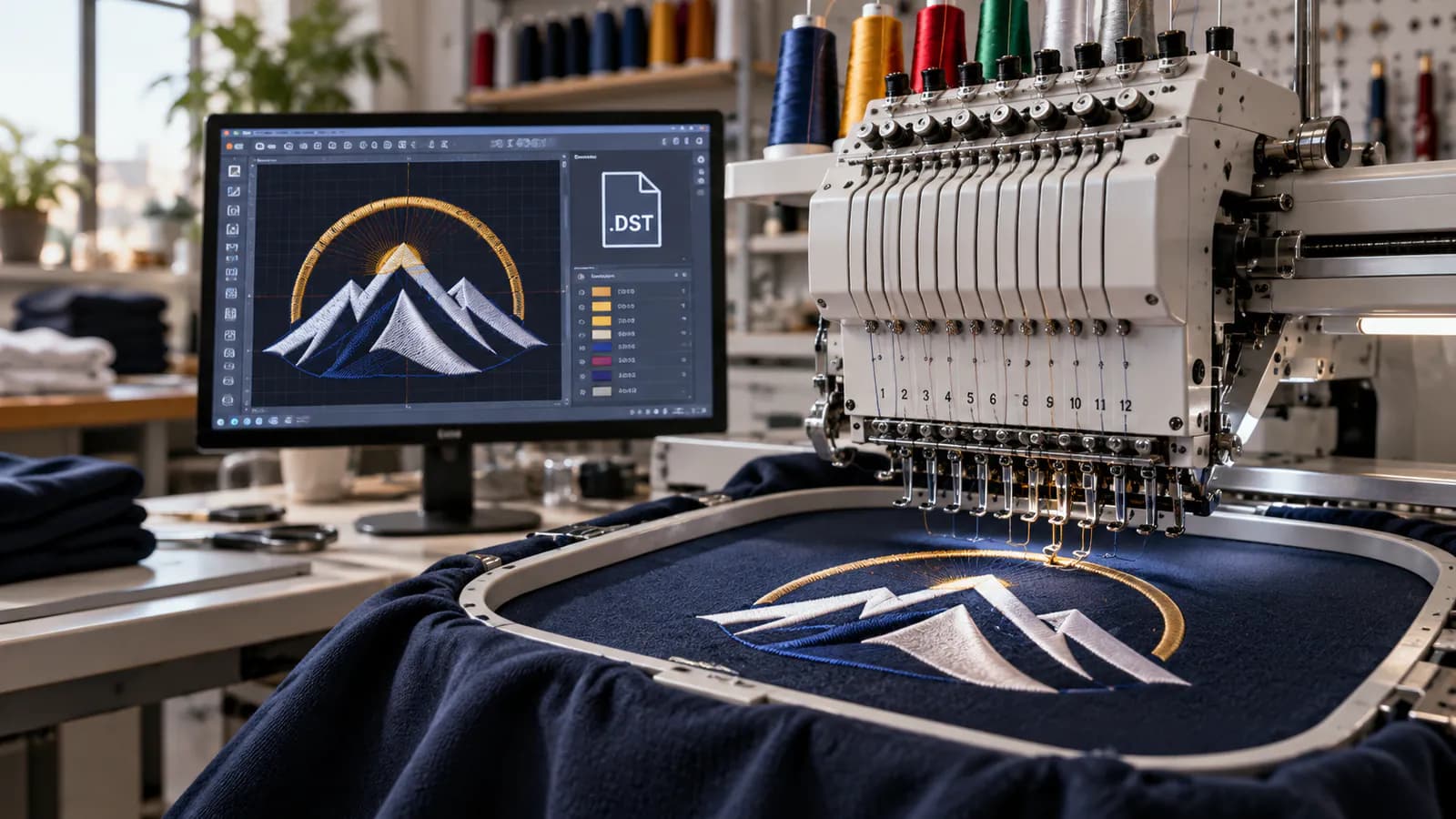
What Is a DST File? Complete Guide to the Embroidery DST Format
If you work with machine embroidery, you've probably come across a file ending in .DST.
A customer may send you a JPG, PNG, PDF, AI, or SVG logo, but an embroidery machine cannot simply look at ordinary artwork and decide how to sew it. The design first needs to be translated into stitches and machine commands.
That is where the DST file comes in.
A DST file is a machine embroidery stitch file originally associated with Tajima embroidery systems. Rather than storing an ordinary picture, a DST contains stitch movements and machine commands that tell compatible embroidery equipment how to sew a design. DST remains one of the most widely recognized formats in commercial machine embroidery. EduTech Wiki
The simplest explanation is:
Artwork shows what a design should look like. A DST file tells the embroidery machine how to stitch it.
If you have artwork that needs to be converted into a properly prepared embroidery file, Tajima Digitizer provides professional digitizing for logos, caps, patches, garments, and other embroidery applications.
This guide explains what a DST file is, how it works, what information it contains, how DST files are created, how to open them, and how DST compares with other embroidery formats.
What Does DST Mean in Embroidery?
DST is commonly expanded as Data Stitch Tajima.
The format was developed around Tajima embroidery equipment and became widely used throughout the commercial embroidery industry.
A DST file normally uses the extension:
.dst
For example:
company-logo.dst
The file does not contain the logo in the same way that company-logo.png would.
Instead, it contains the movements required to reproduce the digitized design using thread.
The standard DST structure consists of a 512-byte header followed by three-byte stitch command records. Standard DST stores stitch commands and limited metadata rather than normal image, vector, or rich editable embroidery-object data. EduTech Wiki
What Is a DST File Used For?
A DST file is primarily used to transfer a completed embroidery design from embroidery software to a compatible embroidery machine.
A typical production process looks like this:
Logo or Artwork → Embroidery Digitizing → DST File → Embroidery Machine → Finished Embroidery
For example, your starting artwork might be:
JPG
JPEG
PNG
SVG
PDF
AI
EPS
A photograph
A scanned drawing
A digitizer interprets that artwork and determines how it should actually be embroidered.
The completed design is then exported into DST or another machine format.
This process is called embroidery digitizing.
Tajima Digitizer's professional embroidery digitizing service converts artwork into machine-ready embroidery files and supports DST as well as other common formats.
Is a DST File an Image?
No.
This is one of the most important things to understand about DST.
A DST file is not an image file like JPG or PNG, and it is not a normal vector file like SVG, AI, or EPS.
Standard DST does not store vectors or thumbnails. What embroidery software displays on screen is a visualization generated from the stitch data contained in the file. EduTech Wiki
That means changing:
logo.jpg
to:
logo.dst
will not create an embroidery file.
Renaming the extension does not create:
Stitch types
Stitch direction
Underlay
Density
Pull compensation
Entry and exit points
Stitch sequencing
Travel paths
Color-change commands
The artwork has to be digitized for embroidery.
How Does a DST File Work?
When a design is digitized, the digitizer builds a path that the embroidery machine can follow.
Depending on the design, this can involve decisions about:
Running stitches
Satin stitches
Fill stitches
Stitch direction
Stitch length
Density
Underlay
Pull compensation
Start and end points
Color sequence
Jump movements
Travel paths
Overlapping objects
After the embroidery design has been prepared, the software exports the resulting stitch movements into a machine format such as DST.
The embroidery machine reads those commands in order and moves the hoop or sewing field accordingly.
Simple Example
Imagine a logo containing:
A navy circle
White lettering
A red icon
The production sequence might be:
Step 1: Stitch the navy section
Step 2: Stop/change thread
Step 3: Stitch the white lettering
Step 4: Stop/change thread
Step 5: Stitch the red icon
Step 6: End the design
The DST contains the stitch movements and control commands needed to execute that sequence.
What Information Does a DST File Contain?
DST is deliberately compact.
Its header can contain limited information such as the design label, stitch count, color-change count, and design extents. After the header, the file stores a sequence of three-byte movement and control records. EduTech Wiki
In practical terms, a DST can represent information relating to:
Stitch movements
Jump movements
Color-change or stop commands
Design boundaries
Stitch count
End-of-design information
What a Standard DST Does Not Normally Store
A DST generally does not retain:
Original vector artwork
Editable embroidery objects
Original fonts
Layers
Full digitizing parameters
Rich object properties
A normal preview image
A dependable thread-color palette
This is why DST is best thought of as a production stitch file, rather than your master editable embroidery design.
Does a DST File Store Thread Colors?
This question causes a lot of confusion.
A standard DST file records color-change commands, but normally does not carry the actual thread colors associated with those changes.
For example, it can tell the machine:
Color change here.
But the basic file does not necessarily tell the operator:
Change to Madeira 1147 Red.
That is why the same DST file may appear with different colors when opened in different embroidery programs.
The DST specification does have uncommon extended-header conventions that can carry additional thread information, but these are not something you should rely on in a standard production workflow. EduTech Wiki
Best Practice
Keep a separate thread chart or production sheet with your embroidery file.
For example:
Sequence | Thread |
|---|---|
1 | Navy Blue |
2 | White |
3 | Bright Red |
4 | Gold |
This ensures the machine operator knows exactly which colors to load.
Does DST Contain Trim Commands?
This deserves a precise explanation.
Standard DST provides normal stitch, jump, color-change/stop, sequin-related, and end behavior. Trim handling is not as straightforward as it is in some newer embroidery formats.
Embroidery software and machines may infer trimming from jump sequences or use implementation-specific conventions when exporting DST.
For that reason, you should not assume that every DST file carries trimming information in exactly the same way.
This is another reason to test an exported design on the actual production machine before running a large quantity.
Why Is DST So Popular?
DST has survived for decades largely because of one important advantage:
Compatibility.
It became so widespread that it functions as a practical exchange format across many commercial embroidery workflows. EduTech Wiki
Its main advantages include:
Wide Industry Support
Many embroidery programs and commercial machine workflows can read or import DST.
Compact Files
DST stores stitch information efficiently without embedding large images or complex editing data.
Production-Focused Structure
It contains the information an embroidery machine needs to reproduce the digitized stitch path.
Easy File Transfer
DST files are small enough to move easily through USB drives, production networks, cloud storage, order-management systems, and email.
Familiarity
Commercial embroiderers frequently receive DST files from digitizers, customers, apparel companies, and other embroidery businesses.
DST vs PES vs JEF vs EXP vs VP3
DST is only one embroidery machine format.
Different manufacturers and machine ecosystems commonly use different formats.
Format | Common Association | Typical Use |
|---|---|---|
DST | Tajima / commercial embroidery | Widely recognized stitch format |
PES | Brother / Baby Lock | Brother-oriented embroidery systems |
JEF | Janome | Janome embroidery machines |
EXP | Melco | Commercial Melco workflows |
VP3 | Husqvarna Viking / Pfaff | Viking and Pfaff embroidery ecosystems |
HUS | Husqvarna | Older/common Husqvarna workflows |
Your own website similarly identifies DST with Tajima, PES with Brother/Baby Lock, JEF with Janome, EXP with Melco, and VP3/HUS with Pfaff and Husqvarna workflows. Tajima Digitizer
Is DST Better Than PES or JEF?
Not necessarily.
There is no single embroidery format that is best for every situation.
The best format is normally the one recommended for your embroidery machine and production software.
DST is particularly useful when broad commercial compatibility matters, while manufacturer-oriented formats may retain information that is useful within their own machine ecosystem.
How Is a DST File Created?
A high-quality DST file is not created by simply pressing Convert on an ordinary image.
Professional embroidery digitizing involves several steps.
1. Start With the Best Artwork Available
Good source artwork makes accurate digitizing easier.
Useful formats include:
AI
EPS
SVG
PDF
PNG
JPG
Vector artwork is often ideal because shapes and edges are already clean, but high-resolution raster artwork can also work well.
Your current ordering workflow accepts common artwork formats including PNG, JPG, PDF, AI, and SVG. Tajima Digitizer
2. Determine the Finished Embroidery Size
Embroidery is created for a physical size.
The same logo embroidered at 3.5 inches wide and 10 inches wide should not necessarily use identical stitch construction.
Size can affect:
Satin-column width
Stitch density
Detail
Lettering
Underlay
Fill patterns
Stitch count
3. Identify the Fabric
A digitizer also needs to know what the design will be stitched on.
For example:
Polo shirt
T-shirt
Cap
Beanie
Fleece
Denim
Towel
Jacket
Canvas
Performance fabric
A design prepared for stable woven fabric may require different construction when stitched onto stretchy material.
4. Digitize the Artwork
The digitizer builds embroidery objects and determines:
Stitch types
Density
Underlay
Stitch direction
Pull compensation
Sequence
Entry and exit points
Overlaps
Jumps
Trims
Color changes
This stage has a much greater impact on embroidery quality than the .dst extension itself.
5. Export the DST
Once the design is prepared, embroidery software converts the working design into the final stitch-based DST format.
6. Review and Test
Check:
Finished dimensions
Stitch count
Color sequence
Jump behavior
Registration
Hoop fit
Small lettering
Overall sewability
A test sew-out is strongly recommended before large-scale production.
Tajima Digitizer follows a workflow of artwork submission, manual digitizing, preview review, and delivery of requested machine formats. Tajima Digitizer
Can You Convert JPG to DST?
Yes—but JPG to DST requires embroidery digitizing, not ordinary image conversion.
A JPG contains pixels.
A DST contains stitch instructions.
Software or a digitizer has to decide how those pixels should become embroidery.
For example:
JPG artwork → Analyze design → Create embroidery objects → Set stitch properties → Sequence design → Export DST
The same applies to:
PNG to DST
SVG to DST
PDF to DST
AI to DST
EPS to DST
Even vector artwork does not automatically contain the embroidery settings needed to produce a good DST file.
If you have a logo that needs to become embroidery, your embroidery digitizing service is the natural internal link to use here.
Why Automatic Image-to-DST Conversion Can Cause Problems
Automatic conversion sounds attractive, but embroidery requires decisions that ordinary graphic files do not contain.
A digitizing process must determine questions such as:
Should this area use satin or fill stitches?
Which direction should the stitches run?
How much underlay is necessary?
What density is suitable?
How should the design compensate for fabric movement?
Which section should stitch first?
How should small lettering be handled?
Where can the machine travel without leaving visible thread?
Which fine details should be simplified?
Automatic tools can sometimes provide a starting point for basic artwork, but production-quality embroidery usually benefits from an experienced digitizing workflow.
Can You Convert Another Embroidery Format to DST?
Yes.
Embroidery software can often read one stitch format and export another.
For example:
PES → DST
JEF → DST
EXP → DST
Software libraries also demonstrate that machine-file conversion between formats such as JEF and DST is technically possible. GitHub
However, format conversion does not automatically improve digitizing quality.
If the original design has:
Bad density
Poor sequencing
Excessive jumps
Incorrect compensation
Weak underlay
Registration problems
exporting it as DST will not magically repair those issues.
The best workflow for major edits is usually:
Original editable embroidery file → Make corrections → Export fresh DST
How Do You Open a DST File?
You generally need embroidery software or a stitch-file viewer that supports the DST format.
When you open the file, the software interprets the stitch records and generates a visual representation of the embroidery.
Before sending the file to production, inspect:
Design dimensions
Stitch count
Color-change sequence
Stitch path
Jump movements
Registration
Hoop compatibility
Overall density
Remember that the colors shown in the software may simply be display colors rather than the intended production thread colors.
Can You Edit a DST File?
Yes—but DST is not the ideal format for extensive editing.
Embroidery software may allow you to modify individual stitch points, sections, stops, or dimensions.
The problem is that the DST no longer contains all of the original object-level information used when the design was digitized.
Think of it this way:
The editable embroidery file is the master project. The DST is the finished machine output.
For small corrections, editing the DST may be acceptable.
For significant changes, return to the master digitizing file whenever possible.
Can You Resize a DST File?
A DST can sometimes be resized, but large size changes should be approached carefully.
Simply scaling stitches may create:
Excessive density
Insufficient coverage
Stitches that are too long
Stitches that are too short
Distorted satin columns
Registration problems
Fabric puckering
Thread breaks
For example, a 3.5-inch left-chest logo should not automatically be enlarged to 12 inches for a jacket back.
The large version may require entirely different stitch construction.
For significant resizing, adjust the original editable embroidery design or have the artwork re-digitized at the new finished size.
What Makes a Good DST File?
A DST file is only as good as the digitizing behind it.
The .dst extension itself does not guarantee quality.
Correct Stitch Density
Too much density can produce stiff embroidery, thread breaks, distorted fabric, and unnecessary machine stress.
Too little density can leave gaps and poor coverage.
Appropriate Underlay
Underlay creates a foundation underneath the visible stitches and helps stabilize the fabric.
Pull Compensation
Embroidery stitches pull on fabric during sewing.
Proper compensation helps keep borders, columns, and lettering closer to their intended dimensions.
Intelligent Stitch Direction
Stitch angles affect:
Appearance
Texture
Light reflection
Shape
Stability
Efficient Sequencing
Good sequencing can reduce unnecessary machine movement and improve registration.
Correct Stitch Types
Running, satin, and fill stitches each have different purposes.
An experienced digitizer selects them based on the size, shape, fabric, and visual effect required.
Common DST Problems and Solutions
DST Opens With the Wrong Colors
Why it happens: Standard DST does not normally retain the real thread palette.
Solution: Use the original color reference or production sheet.
Design Does Not Fit the Hoop
Why it happens: The embroidery dimensions exceed the selected hoop or sewing field.
Solution: Check dimensions before production and request a properly sized version when necessary.
Fabric Puckers
Possible causes include:
Excessive density
Inadequate underlay
Incorrect stabilizer
Poor hooping
Machine tension
Digitizing unsuitable for the fabric
Solution: Evaluate both the DST and the physical production setup.
Small Lettering Looks Poor
Small text is highly dependent on finished size, font construction, stitch type, spacing, and fabric.
Solution: Simplify extremely small text where necessary and digitize it specifically for its intended finished size.
Too Many Jump Stitches
Why it happens: The sequence or travel path may not be optimized.
Solution: Review sequencing in the source embroidery design and export an improved DST.
Embroidery Machine Cannot Read the DST
Check:
Whether your machine supports DST
Design dimensions
Hoop restrictions
USB or storage requirements
Filename restrictions
Whether the file downloaded correctly
Whether the DST was exported correctly
Your embroidery machine format FAQ is a useful internal resource for customers who are unsure which file format they need.
DST File vs Editable Embroidery File
These files serve different purposes.
Editable/Master File | DST File |
|---|---|
Designed for editing | Designed primarily for machine production |
Can retain embroidery objects | Primarily contains final stitch commands |
Can retain stitch settings | Limited editable design intelligence |
Better for major resizing | Major resizing can be risky |
Better for future revisions | Best used as production output |
Software-specific in many cases | Broadly recognized machine format |
Best Practice
Keep both whenever possible:
Master digitizing file + final machine files
That gives you greater flexibility if the customer later needs another size, garment type, or format.
What Should You Send to a Digitizer?
To get the best DST file possible, provide more than just the artwork.
Artwork
Send the highest-quality logo you have.
Finished Size
Example:
3.5 inches wide
rather than:
normal chest size
Garment
Tell your digitizer whether the design is for a:
Polo
Jacket
Cap
Towel
Fleece
Beanie
Patch
Bag
Placement
Examples:
Left chest
Center chest
Cap front
Cap side
Jacket back
Sleeve
Machine Format
Specify DST if DST is required.
If you're unsure, give the digitizer your machine manufacturer and model.
Special Technique
Mention requirements such as:
3D puff
Appliqué
Patch embroidery
Small lettering
Fine detail
The more complete the production information, the easier it is to prepare the file correctly.
How to Get a Professional DST File
If you have a logo, image, or vector artwork and need it converted for embroidery, the process is straightforward:
Upload your artwork
Provide the finished size
Tell the digitizer the garment or fabric
Specify DST or your embroidery-machine model
Review the stitch preview
Download the machine-ready file
Test the design before bulk production
Tajima Digitizer currently offers hand-digitized embroidery files with correct density, underlay, pull compensation, and multiple machine-format options, including DST. Tajima Digitizer
You can see the complete process through the How Our Embroidery Digitizing Works page.
Frequently Asked Questions About DST Files
What is a DST file?
A DST file is a machine embroidery stitch file used to tell compatible embroidery equipment how to sew a digitized design.
What does DST stand for?
DST is commonly expanded as Data Stitch Tajima and is historically associated with Tajima embroidery systems. EduTech Wiki
Is a DST file an image?
No. DST contains embroidery stitch and machine-control information rather than normal raster image data or vector artwork.
Can I convert JPG to DST?
Yes, but the artwork needs to be digitized for embroidery. Simply changing the file extension will not create a proper DST.
Can PNG be converted to DST?
Yes. PNG artwork can be used as the source for an embroidery digitizer to create the stitch design and export a DST.
Can SVG be converted to DST?
Yes, but even vector artwork must be interpreted and digitized for embroidery before being exported as DST.
Does DST contain thread colors?
Standard DST normally stores color-change commands rather than a dependable actual thread-color palette. Keep a thread chart or production reference with the file. EduTech Wiki
Can a DST file be edited?
Yes, but significant editing is usually easier and safer in the original editable embroidery file.
Can DST files be resized?
Small adjustments may work, but major size changes can negatively affect stitch density, stitch lengths, and design quality.
What embroidery machines use DST?
DST is strongly associated with Tajima and is also widely supported in commercial embroidery workflows. Always confirm compatibility with your specific machine.
Is DST better than PES?
Neither format is universally better. DST is widely used commercially, while PES is commonly used with Brother/Baby Lock systems. Use the format recommended for your machine.
Is a DST file ready to sew?
A properly digitized DST can be machine-ready, but you should still verify size, hoop compatibility, thread sequence, stabilizer, fabric setup, and ideally perform a test sew-out before bulk production.
Final Thoughts
A DST file may be small, but it plays a major role in professional machine embroidery.
It is not simply a logo saved under another extension. It is the stitch-based production file that tells an embroidery machine how to reproduce a digitized design.
The key distinction is:
Artwork defines the appearance. Digitizing defines the embroidery. DST delivers those stitch instructions to the machine.
That is also why good digitizing matters.
Two files can both end in .dst, yet one may produce clean, balanced embroidery while another creates puckering, gaps, unnecessary jumps, or poor lettering.
When embroidery quality matters, concentrate on the quality of the digitizing—not simply the file extension.
Have a logo, JPG, PNG, PDF, AI, or SVG that needs to become a machine-ready embroidery file? Visit Tajima Digitizer for professional embroidery digitizing and receive DST, PES, EXP, JEF, VP3, and other formats suited to your production workflow. The website currently lists machine-ready files, free revisions, and standard turnaround of 4–12 hours. Tajima Digitizer