
Embroidery Digitizing
What Is Embroidery Digitizing? A Complete Beginner’s Guide
By Tajima Digitizer · September 30, 2026
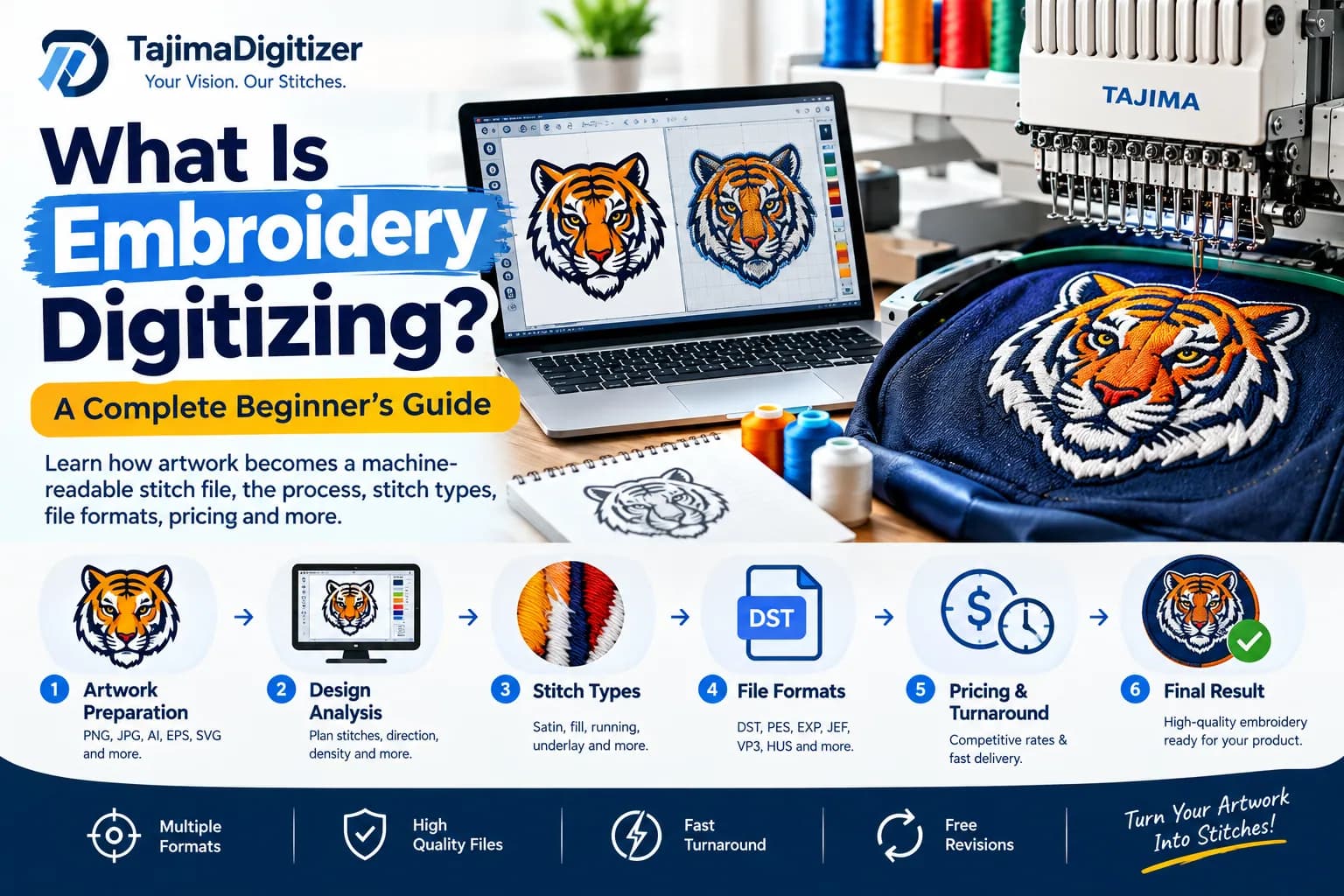
What Is Embroidery Digitizing? A Complete Beginner’s Guide
If you have ever wondered how a company logo, name, or artwork becomes an embroidered design on a shirt, hat, jacket, or bag, the answer is embroidery digitizing.
Embroidery digitizing is the process of converting artwork into a digital stitch file that an embroidery machine can read and sew.
But professional digitizing is much more than changing a JPG or PNG into an embroidery file. A digitizer must decide how the design will be stitched, including the stitch types, stitch direction, density, underlay, sequencing, and other settings that affect how the design performs on fabric.
A well-digitized design can help produce cleaner details, better coverage, smoother lettering, and more consistent embroidery.
In this guide, you'll learn what embroidery digitizing is, how the process works, which file formats are commonly used, what affects the cost, and how to prepare artwork for digitizing.
What Is Embroidery Digitizing?
Embroidery digitizing is the process of converting artwork into instructions that an embroidery machine can use to create a stitched design.
A normal image file contains pixels or vector shapes. An embroidery machine needs stitch information.
The digitizer takes the artwork and builds embroidery objects that tell the machine:
Where to stitch
Which stitch type to use
Which direction the stitches should run
How dense the stitches should be
Which areas should stitch first
When to change thread colors
Where trims or jumps may be required
How the design should be adjusted for the fabric and application
The finished result is an embroidery machine file such as DST, PES, EXP, JEF, VP3, HUS, or another format supported by the customer's machine.
For professional embroidery, the goal is not simply to make the digital file look like the original artwork. The goal is to create a file that sews correctly and produces a clean embroidered result.
Why Can't You Simply Convert a JPG to an Embroidery File?
This is one of the most common questions about embroidery digitizing.
A JPG or PNG contains visual information. An embroidery machine does not stitch pixels. It follows a sequence of stitch commands.
Imagine a logo containing a circle, lettering, and an outline.
A digitizer needs to determine:
Which parts should become embroidery objects
Which stitch type is appropriate for each object
The direction of the stitches
The required stitch density
The appropriate underlay
The order in which the objects should be sewn
How the design should be adjusted for the intended fabric
How small details and lettering should be handled
Simply renaming a JPG as a DST file does not create a usable embroidery design.
Embroidery digitizing is a production process, not ordinary image conversion.
How Does Embroidery Digitizing Work?
A professional embroidery digitizing workflow usually involves several important stages.
1. Artwork Preparation
The process starts with the artwork.
The source might be:
PNG
JPG
PDF
AI
EPS
SVG
A sketch
An existing logo
Another suitable image
Vector artwork can provide useful information about shapes and edges, but a vector file is not always required.
The artwork is reviewed for its size, colors, shapes, lettering, details, and intended embroidery application.
2. Design Analysis
Before stitches are created, the digitizer determines how the artwork should be constructed for embroidery.
A design that looks simple on screen can require careful planning when it is converted into thread.
For example, a large filled area may work well with a fill stitch, while a narrow letter or border may be better suited to a satin stitch.
The digitizer also considers the final size and the material on which the design will be embroidered.
3. Choosing the Right Stitch Types
Different parts of a design can require different stitch types.
Satin Stitch
Satin stitching is commonly used for:
Lettering
Borders
Narrow columns
Outlines
Decorative elements
It can create a smooth, clean appearance when properly digitized.
Fill Stitch
Fill stitches are commonly used for larger areas of a design.
The digitizer controls stitch direction and density to achieve suitable coverage without unnecessarily increasing the stitch count.
Running Stitch
Running stitches are useful for fine lines, outlines, and details that are too narrow for heavier stitch structures.
The appropriate stitch type depends on the design and the intended application.
What Is Underlay in Embroidery?
Underlay is stitching placed underneath the visible top stitches.
It can provide a foundation for the upper stitching and help stabilize the fabric.
The appropriate underlay depends on factors such as:
Fabric type
Design size
Stitch type
Stitch density
Design shape
Embroidery application
A professional digitizer considers underlay as part of the overall stitch construction rather than treating it as a simple automatic setting.
Why Does Stitch Direction Matter?
Stitch direction affects the appearance and structure of embroidery.
Different sections of a design can use different stitch angles to create visual separation and appropriate coverage.
For example, changing the direction between adjacent objects can help distinguish those objects visually.
Poorly planned stitch direction can contribute to an uneven appearance or stitching that does not behave as intended.
What Is Stitch Density?
Stitch density describes how closely stitches are placed within an embroidered area.
Density needs to be appropriate for the design and fabric.
Too little density can result in inadequate coverage.
Too much density can create unnecessary bulk and additional stitching.
Professional digitizing is therefore about finding an appropriate balance between coverage, appearance, stitch count, fabric behavior, and production requirements.
What Is Pull Compensation?
Fabric can move or distort slightly as embroidery is stitched.
Pull compensation is one of the techniques used in digitizing to account for this behavior.
The amount required depends on the design, size, fabric, stitch type, and other production factors.
It is another reason why an embroidery design should be constructed specifically for its intended application rather than simply converted from artwork.
Why Does Stitch Sequence Matter?
The order of stitching can affect the final result.
A well-planned stitch sequence can help reduce unnecessary:
Trims
Jump stitches
Color changes
Fabric movement
Registration problems
It can also improve production efficiency.
For this reason, a digitizer must think about the order in which each part of the design should be sewn.
What Types of Designs Can Be Digitized?
Many different types of artwork can be prepared for machine embroidery.
Common projects include:
Business logos
Company uniforms
Hat and cap logos
Polo shirts
T-shirts
Jackets
Patches
Monograms
Names and lettering
Sports designs
Team apparel
Promotional products
Appliqué designs
3D puff embroidery
For custom projects, the required embroidery size, fabric, placement, and machine format should be provided when submitting the artwork.
Custom Embroidery Digitizing
Tajima Digitizer provides custom embroidery digitizing for logos and artwork intended for embroidery production.
The service includes designs for applications such as left-chest logos, apparel, jackets, promotional products, team apparel, and other embroidery projects.
The current service page states that designs are built around factors such as underlay, density, pull compensation, fabric, size, and machine format. It also offers multiple machine formats and free revisions.
What Is 3D Puff Embroidery Digitizing?
3D puff embroidery is a specialized embroidery technique that creates a raised appearance by stitching over embroidery foam.
It is especially common on:
Snapback caps
Trucker hats
Baseball caps
Hoodies
Jackets
Bold logos
Large lettering
3D puff requires a different digitizing approach from standard flat embroidery.
For example, the digitizer may need to account for:
Satin column width
Stitch density
Capped ends
Stitch sequence
Foam thickness
Design details
Tajima Digitizer currently offers a dedicated 3D Puff Embroidery Digitizing service starting at $20, with standard turnaround listed as 4–12 hours and multiple machine formats available.
Can Flat Embroidery Be Converted Directly to 3D Puff?
Not every flat embroidery file should simply be converted into a puff file.
A proper puff design may need to be rebuilt from the original artwork so that the stitch construction is appropriate for foam.
For designs combining flat and raised elements, the two techniques can also be planned together.
Cap and Hat Embroidery Digitizing
Embroidery on a cap is different from embroidery on a flat garment.
A cap front is curved, and the design must be planned around the cap frame and the direction in which the machine will sew.
Tajima Digitizer's cap and hat service specifically addresses factors such as center-out sequencing, curve compensation, underlay, and different cap styles.
This can be particularly important for:
Structured caps
Unstructured caps
Snapbacks
Trucker hats
Dad hats
Side logos
Back logos
Appliqué Embroidery Digitizing
Appliqué uses fabric pieces as part of the design rather than filling the entire area with thread.
A typical appliqué design may include:
A placement line
A tackdown stitch
A final covering stitch or border
Appliqué can be useful for larger designs where stitching the entire area with thread would create unnecessary stitch count or weight.
Tajima Digitizer currently offers appliqué digitizing for applications including team apparel, large lettering, children's apparel, and other designs.
What Embroidery File Formats Are Used?
Different embroidery machines use different file formats.
Some commonly encountered formats include:
DST
DST is widely used in commercial embroidery and is commonly associated with Tajima embroidery machines.
PES
PES is commonly associated with Brother embroidery machines.
JEF
JEF is commonly associated with Janome embroidery machines.
EXP
EXP is used by several embroidery systems, including Melco workflows.
VP3 and HUS
These formats are commonly associated with certain Pfaff and Husqvarna Viking embroidery systems.
The correct format depends on your machine.
Tajima Digitizer currently lists support for formats including DST, PES, EXP, JEF, VP3, HUS, PCS and XXX, along with AI and EPS for vector artwork where needed.
What Artwork Should You Send for Digitizing?
The best artwork available should be provided whenever possible.
Useful source formats can include:
AI
EPS
SVG
PDF
PNG
JPG
A high-resolution image or vector file can make it easier to understand the original artwork, but a professional digitizer may also be able to work from a lower-resolution image, sketch, or screenshot depending on the project.
When submitting artwork, also provide:
Final embroidery size
Garment or product
Placement
Machine brand or required format
Preferred colors
Deadline
Any special instructions
For example:
“3.5-inch left-chest logo on a polo shirt, DST format.”
is much more useful than simply sending a logo without any production information.
How Much Does Embroidery Digitizing Cost?
There is no single price for every embroidery design.
Cost can depend on:
Design size
Stitch count
Detail level
Number of colors
Small lettering
Fabric
Special embroidery techniques
Application
Turnaround requirements
Tajima Digitizer currently lists basic logo digitizing from $10, cap/hat digitizing from $15, 3D puff from $20, and jacket-back digitizing from $25+.
The actual price can vary according to the requirements of the individual design.
How Long Does Embroidery Digitizing Take?
Turnaround depends on the design and service.
A simple logo may require less production work than a detailed jacket-back design, complex lettering, or a specialized 3D puff project.
Tajima Digitizer currently lists a standard turnaround of 4–12 hours for its core embroidery digitizing services, with service-specific options shown on individual pages.
If you have a deadline, provide it when submitting your artwork.
Common Embroidery Digitizing Mistakes
1. Trying to Keep Every Tiny Detail
Very small details that look clear on a computer may not reproduce well in thread.
Some artwork needs to be simplified for embroidery.
2. Making Text Too Small
Small lettering can be difficult to reproduce clearly.
Font choice, letter height, fabric, stitch type, and design size all matter.
3. Adding Too Much Density
More stitches do not automatically mean better embroidery.
Excessive density can add unnecessary bulk and affect the fabric.
4. Ignoring the Fabric
A design for a structured cap may need different construction from the same artwork embroidered on a soft T-shirt.
5. Using the Same File for Every Application
A file designed for a flat shirt may not be appropriate for a curved cap.
Similarly, a small left-chest design may need different construction when enlarged for a jacket back.
6. Skipping a Sew-Out
A design can look good on a computer screen but behave differently when physically stitched.
A sew-out can help identify issues with coverage, lettering, registration, density, or fabric interaction.
How to Get Better Embroidery Results
Before ordering embroidery digitizing, provide as much useful information as possible.
A good submission should include:
Your original artwork
Desired embroidery size
Product or garment
Placement
Machine format
Thread colors if important
Deadline
Special instructions
If you are unsure about the correct file format or stitch construction, tell the digitizer the machine brand and intended application.
Embroidery Digitizing vs. Image Conversion
These two processes are not the same.
Image conversion changes one digital image format into another.
Embroidery digitizing creates stitch instructions for an embroidery machine.
For example, changing the file extension of a JPG does not create a properly digitized DST file.
A professional embroidery file is constructed around the physical process of stitching thread into fabric.
Is Embroidery Digitizing Difficult?
Embroidery software makes it possible to create and edit stitch objects, but producing reliable embroidery requires more than knowing how to use software.
A digitizer needs to understand:
Stitch types
Stitch density
Underlay
Pull compensation
Stitch direction
Sequencing
Fabric behavior
Thread
Machine limitations
Design size
Placement
The objective is not just to create a file that looks correct on a screen.
The objective is to create a file that sews correctly and produces the intended result.
Frequently Asked Questions
What is embroidery digitizing?
Embroidery digitizing is the process of converting artwork into a machine-readable file containing stitch instructions for an embroidery machine.
Can any image be digitized for embroidery?
Many types of artwork can be digitized, but very detailed artwork, gradients, tiny elements, and photographic images may need to be simplified or adapted for embroidery.
Is embroidery digitizing the same as converting JPG to DST?
No. JPG is an image format and DST is an embroidery format. Professional digitizing requires creating actual stitch instructions.
What is the most common embroidery file format?
DST is one of the most widely used commercial embroidery formats, but the correct format depends on the embroidery machine.
How many stitches should an embroidery logo have?
There is no universal stitch count. The appropriate number depends on the design, size, fabric, stitch types, and required coverage.
Can you digitize a logo for a hat?
Yes. Hat and cap designs need to be planned for the curved embroidery area and the particular cap frame.
What is 3D puff embroidery?
3D puff embroidery uses foam underneath selected stitches to create a raised, three-dimensional effect.
Do I need a vector file?
Not necessarily. Vector artwork can be useful, but many designs can be digitized from high-quality PNG, JPG, PDF, or other artwork.
How should I prepare artwork for digitizing?
Send the clearest artwork available and provide the intended size, garment or product, placement, machine format, and any special requirements.
Final Thoughts
Embroidery digitizing is the connection between digital artwork and physical embroidery.
A successful embroidery file is not simply an image saved with a different file extension. It is a carefully planned set of stitch instructions designed around the artwork, size, fabric, machine, thread, and intended application.
Understanding stitch types, density, underlay, pull compensation, sequencing, and file formats can help you make better decisions when preparing artwork for embroidery.
Whether you need a company logo, cap design, patch, jacket-back design, lettering, appliqué, or 3D puff embroidery, the quality of the digitized file can have a major effect on the final stitched result.
Ready to turn your artwork into a machine-ready embroidery file?
Order Custom Embroidery Digitizing from Tajima Digitizer and upload your artwork to get started.