
Embroidery Digitizing
Embroidery Digitizing for Embroidery Shops: 7 Pro Tips
By Tajima Digitizer Team · October 13, 2026
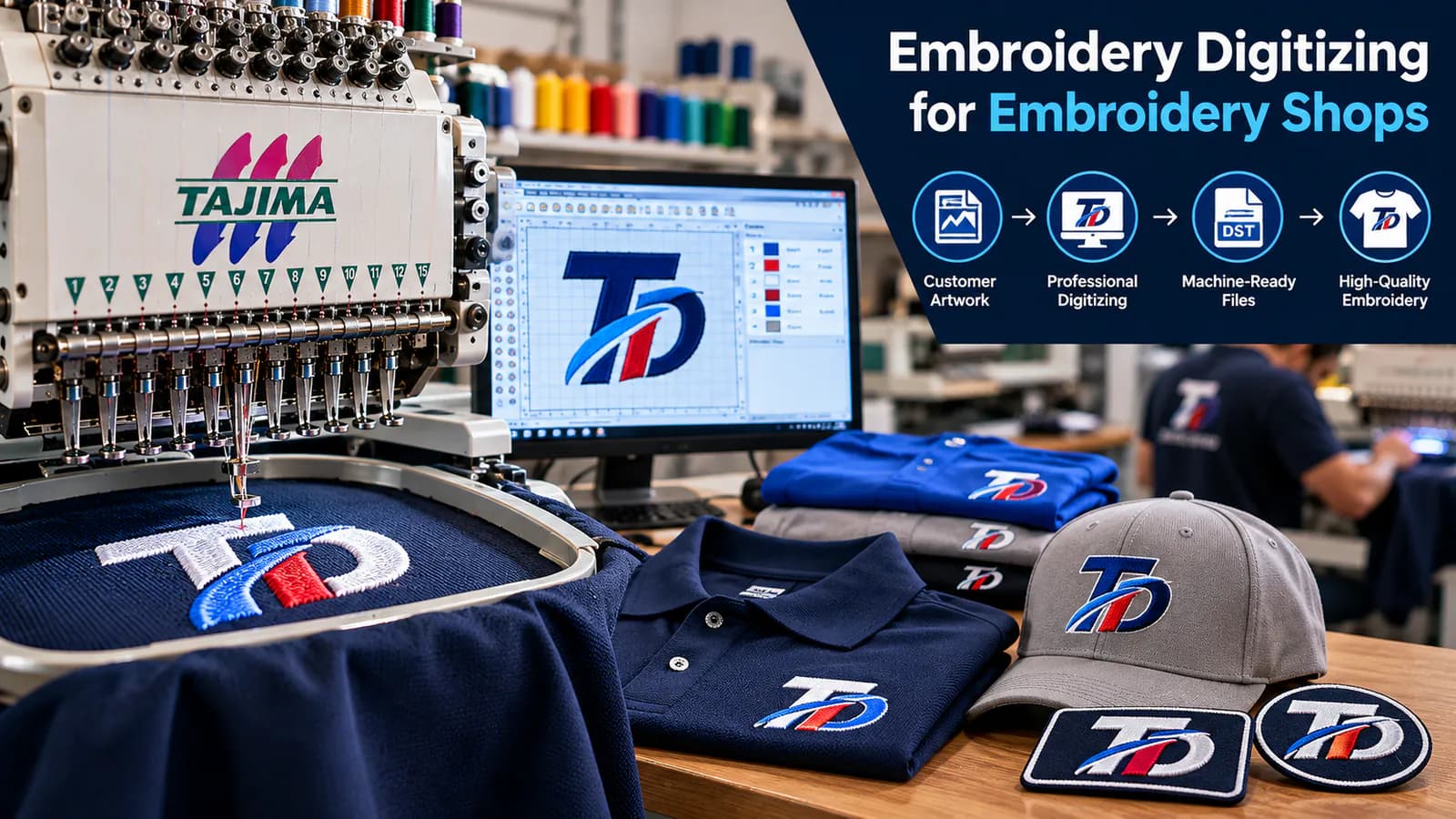
Embroidery Digitizing for Embroidery Shops: 7 Pro Tips
Your embroidery machines are ready, your customer needs 100 branded polos, and the artwork has arrived. There's just one problem: the logo isn't ready to stitch.
For embroidery shop owners, this situation is familiar. A poor embroidery file can lead to thread breaks, unclear lettering, wasted garments, and production delays.
That's why professional embroidery digitizing for embroidery shops matters.
A well-prepared stitch file helps you move from customer artwork to finished embroidery with fewer avoidable problems.
At Tajima Digitizer, we provide machine-ready embroidery files for commercial embroidery shops, apparel decorators, and promotional product businesses.
In this guide, you'll learn how to prepare artwork, choose the right digitizing service, manage production files, and get better results from every order.
What Is Embroidery Digitizing for Embroidery Shops?
Embroidery digitizing converts a logo or design into stitch instructions that an embroidery machine can understand.
A JPG, PNG, or vector file shows the artwork. A digitized embroidery file tells the machine how to sew it.
Professional digitizing controls several important details:
Stitch types: Satin, fill, and running stitches.
Stitch density: How closely stitches sit together.
Underlay: Supporting stitches beneath the design.
Pull compensation: Adjustments for fabric movement.
Stitch sequencing: The order in which the machine sews each section.
Trims and color changes: Instructions that affect production efficiency.
These settings directly influence embroidery quality.
For example, a logo prepared for a flat cotton shirt may not stitch correctly on a curved baseball cap.
A good digitizer considers the garment, fabric, finished size, and machine requirements before preparing the file.
Why Professional Digitizing Matters for Embroidery Shops
Embroidery shops work with customer deadlines, different fabrics, and repeat orders.
Even a small file problem can affect an entire production schedule.
Better Stitch Quality
Professional digitizing helps maintain clean outlines, readable lettering, and balanced stitch coverage.
The right density and underlay can also reduce problems such as puckering, gaps, and excessive thread buildup.
More Efficient Production
Poor stitch sequencing may create unnecessary trims, jumps, and color changes.
Every avoidable stop takes time.
Well-planned embroidery files help machines run more efficiently without sacrificing design quality.
Fewer Costly Reworks
Imagine discovering that a logo's small lettering is unreadable after embroidering 50 shirts.
Correcting the design before production would have been much easier.
Testing a properly digitized file helps protect your garments, materials, and delivery schedule.
7 Embroidery Digitizing Tips for Shop Owners
These practical steps can improve your everyday embroidery workflow.
1. Start With Clear Customer Artwork
Better source artwork makes the digitizing process easier.
Whenever possible, request vector files such as AI, EPS, or SVG.
High-resolution PNG, JPG, and PDF files can also work.
If a customer sends a blurry logo, the artwork may need cleanup before digitizing.
For detailed logos or poor-quality artwork, professional digitizing is often more reliable than automatic image conversion.
2. Confirm the Finished Embroidery Size
Always ask where the design will appear and how large it should be.
A 3.5-inch left-chest logo has different stitch requirements from a 10-inch jacket-back design.
Simply enlarging an existing embroidery file can create density and stitch-length problems.
Specify the correct dimensions before ordering.
Our logo embroidery digitizing service prepares designs for commercial applications, including work shirts, uniforms, and promotional apparel.
3. Match the File to the Fabric
Different fabrics behave differently during stitching.
A stretchy polo needs different support from a stable woven jacket.
Fleece, towels, and textured materials create additional challenges.
Tell your digitizer what fabric you're using.
This helps determine suitable stitch density, underlay, and compensation.
4. Use the Correct Embroidery File Format
Your machine needs a compatible embroidery file.
Common formats include:
Format | Common machine systems |
|---|---|
DST | Tajima and many commercial machines |
PES | Brother and Baby Lock |
EXP | Melco and compatible BERNINA systems |
JEF | Janome |
VP3 | Husqvarna Viking and Pfaff |
The correct format depends on your machine model and software.
Tajima Digitizer supports these formats and other common embroidery file types.
5. Pay Attention to Small Lettering
Small lettering can be one of the most difficult parts of a logo.
Letters may close up, thin strokes may disappear, and crowded text can become unreadable.
For many standard embroidery fonts, approximately 6 mm (0.25 inches) is a practical starting height.
Smaller text may require finer thread, adjusted spacing, or simplified fonts.
If your shop regularly embroiders names and taglines, explore our small lettering digitizing service.
6. Always Test Before Bulk Production
Never assume a digital embroidery preview guarantees a perfect stitch-out.
Test the design on the intended fabric before starting a large order.
Check for:
Clear lettering and outlines.
Correct embroidery dimensions.
Fabric puckering or distortion.
Thread buildup and coverage gaps.
Unnecessary jumps or trims.
Correct thread-color sequence.
If you find a problem, identify whether it comes from the file, stabilizer, hooping, or machine settings.
Fix the cause before continuing production.
7. Save Approved Files for Reorders
Repeat customers are valuable to embroidery shops.
A company may order 50 shirts today and another 100 next month.
Keep approved files organized by customer, placement, and size.
For example:
ABC-Company_Left-Chest_3.5in.dst
ABC-Company_Cap-Front.dst
Store the thread colors and production settings alongside each design.
This makes future orders easier and helps maintain consistent embroidery quality.
In-House vs. Outsourced Embroidery Digitizing
Should your embroidery shop digitize designs internally or outsource the work?
Both approaches have advantages.
Factor | In-house digitizing | Outsourced digitizing |
|---|---|---|
Software | Requires digitizing software | No additional digitizing software required |
Skills | Needs trained staff | Uses an external specialist |
Turnaround | Depends on staff workload | Depends on the provider's schedule |
Workflow | Full internal control | Frees staff for other production tasks |
Costs | Staff, training, and software | Usually priced per design or package |
In-house digitizing may be useful for shops with experienced digitizers and a steady volume of custom artwork.
Outsourcing can make sense when your team spends most of its time running embroidery machines, handling customer orders, and managing production.
It can also help during busy periods or when a design requires specialized techniques.
The best approach depends on your shop's workload, available skills, budget, and production schedule.
How Much Does Embroidery Digitizing Cost for Shops?
Digitizing costs depend on design complexity, stitch count, size, and embroidery technique.
Tajima Digitizer's published starting prices include:
Digitizing service | Starting price |
|---|---|
Small lettering | $8 |
Logo digitizing | $10 |
Cap and hat digitizing | $15 |
Patch digitizing | $15 |
3D puff digitizing | $20 |
Jacket-back digitizing | $25+ |
Prices are in USD per design. Final quotes depend on the artwork and requirements.
Custom quotes are also available for bulk digitizing packages.
View our embroidery digitizing pricing for current rates.
Is Outsourcing Worth the Cost?
Consider the total cost of preparing and producing the embroidery, not just the digitizing fee.
An inexpensive but poorly prepared file may create extra trims, rework, or wasted garments.
A good file can be reused for matching repeat orders, helping spread the one-time digitizing cost across future production.
How to Order Embroidery Digitizing for Your Shop
Working with an online digitizing provider should be straightforward.
At Tajima Digitizer, the process includes four main stages.
Step 1: Upload your design. Submit the artwork and provide the garment type, finished size, and required machine format.
Step 2: Review your quote. Our team checks the design and confirms the price and delivery estimate.
Step 3: Approve and pay. After payment, a professional digitizer prepares the embroidery file.
Step 4: Receive and test your files. Review the rendered stitch-out preview, download the machine-ready files, and test them before production.
Our typical standard turnaround is 4–12 hours, depending on the design, with rush options available.
Eligible corrections to the original order are available when reported within 30 calendar days of final delivery.
You can read more about our ordering process.
Why Embroidery Shops Work With Tajima Digitizer
Embroidery businesses need files that are prepared for real production, not just attractive previews.
Tajima Digitizer provides hand-digitized designs with attention to stitch density, underlay, sequencing, and fabric requirements.
Our services cover:
Corporate and promotional logo embroidery.
Small lettering and personalized apparel.
Cap and hat embroidery digitizing.
Custom patches and appliqué.
3D puff and large jacket-back designs.
We provide common commercial embroidery formats, rendered stitch previews, and revision support under our published policy.
Our online service is available to embroidery businesses in the United States and worldwide.
Frequently Asked Questions
What is the best embroidery digitizing service for a small embroidery shop?
Look for a provider that offers compatible file formats, clear pricing, reliable communication, stitch-out previews, and correction support.
The right service should understand your garment and machine requirements.
How quickly can I receive a digitized embroidery file?
Tajima Digitizer's typical standard turnaround is 4–12 hours, depending on complexity.
Your delivery estimate is confirmed with the quote.
Can I reuse a digitized file for repeat customer orders?
Yes. An approved embroidery file can usually be reused when the design, size, and production requirements remain suitable.
Different fabrics or significant size changes may require adjustments.
Can an embroidery shop outsource multiple designs?
Yes. Tajima Digitizer accepts multiple-design orders and offers custom bulk-package quotes.
Do embroidery shops need professional digitizing software?
Not necessarily.
If you outsource digitizing, you can receive machine-ready files without purchasing advanced digitizing software.
However, compatible software may still be useful for viewing, organizing, or managing embroidery files.
Conclusion: Make Every Embroidery Order Easier
Successful embroidery production starts with the right stitch file.
For embroidery shops, professional digitizing helps improve consistency, reduce avoidable rework, and support smoother production.
The key is to provide clear artwork, confirm the garment and size, use compatible machine formats, and test designs before bulk stitching.
At Tajima Digitizer, we help embroidery businesses convert logos and artwork into professional, machine-ready files.
Whether you need a simple company logo, detailed lettering, a cap design, or a custom patch, our team can help prepare your file for production.
Ready to simplify embroidery digitizing for your shop?
Explore our professional embroidery digitizing service or upload your artwork for a quote.
Get the files your machines need and keep your embroidery orders moving.