
Embroidery Digitizing
Why Is My Embroidery Puckering? 7 Causes & Fixes
By Tajima Digitizer Team · October 12, 2026
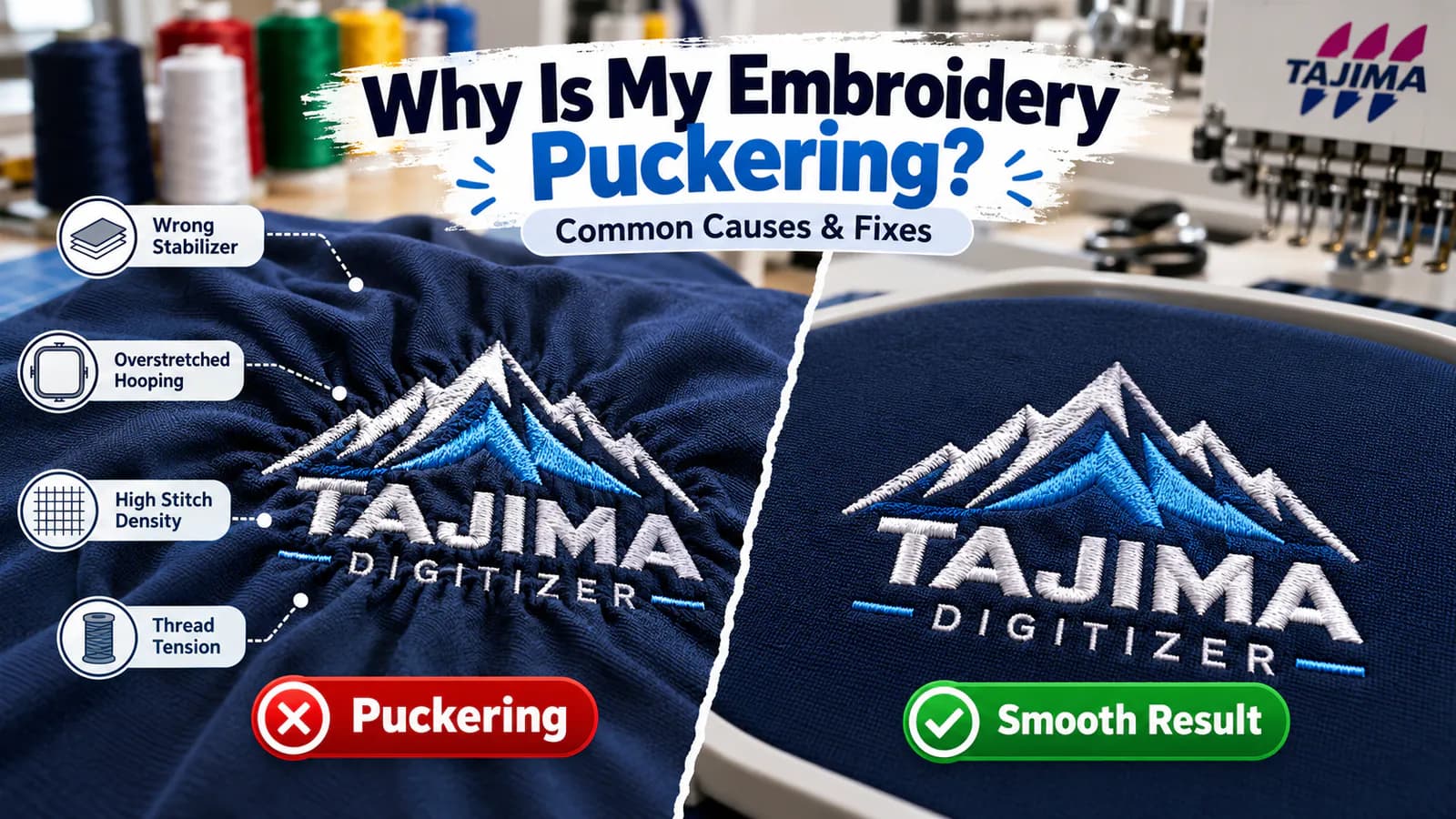
Why Is My Embroidery Puckering? 7 Causes & Fixes
Your logo looked perfect on the screen. Now the fabric around it has wrinkles, waves, or tiny folds. Why is my embroidery puckering?
Usually, the stitches pull the fabric inward while the backing and hoop fail to keep it flat. Too much stitch density or tight thread tension can add to the problem.
The good news: you can often fix embroidery puckering without starting the design from scratch. Check these seven causes before your next stitch-out.
Quick Fix: What to Check First
Before changing the embroidery file, run through this short checklist:
Backing: Use stabilizer that suits the fabric. Cut-away often works best for stretchy knits.
Hooping: Keep the fabric flat and secure, but never stretch it.
Needle and thread: Replace a worn needle and check the threading path.
Tension: Test the machine before making large tension changes.
Design: Look for heavy fills, dense overlaps, and excess underlay.
Change one thing at a time, then stitch a fresh sample. That way, you'll know what actually helped.
7 Reasons Embroidery Puckers—and How to Fix Each One
1. You Used the Wrong Stabilizer
Backing keeps fabric steady as the needle moves. Without enough support, stitches can pull the material into folds.
Fix: Try cut-away stabilizer for T-shirts, polos, and other knits. Tear-away may suit stable woven fabrics with lighter designs.
Match the backing weight to the fabric and stitch count. On fleece and towels, a water-soluble topping helps prevent stitches from sinking into the surface, but it does not replace backing.
2. You Stretched the Fabric While Hooping
A garment can look smooth inside the hoop and still pucker once you remove it. That happens when stretched fabric springs back after stitching.
Fix: Lay the fabric flat, add the stabilizer, and secure both without pulling the fabric out of shape. Make sure the hoop holds the material firmly enough to stop movement.
3. Your Stitch Density Is Too High
Dense satin and fill stitches pack a lot of thread into a small area. The fabric may wrinkle as those stitches pull inward.
Fix: Check stitch spacing and overlapping objects. Remove needless layers rather than lowering density everywhere.
In settings measured by distance, increasing stitch spacing lowers density. Always test for adequate coverage.
4. The Underlay Is Too Heavy—or Too Light
Underlay supports the top stitches. Too much adds bulk. Too little can leave a large shape poorly supported.
Fix: Match underlay to each object. Narrow lettering may need light support; large fills need a different approach.
Learn more in our guide to embroidery underlay.
5. Thread Tension Is Pulling Too Hard
Incorrect upper or bobbin tension can draw fabric inward. But looping or thread breaks may come from threading problems, not just the tension setting.
Fix: Rethread the machine, inspect the bobbin, and test with a known-good design. Adjust tension gradually according to your machine manual.
6. Your Needle Doesn't Suit the Fabric
A dull or damaged needle can snag fibers. The wrong needle type or size can also make delicate or knit fabric harder to stitch cleanly.
Fix: Fit a fresh needle suited to your thread and material. Check the manufacturer's needle guidance, especially for stretch fabrics and fine embroidery.
7. The Embroidery File Was Made for Another Garment
A heavy logo digitized for woven workwear may not sew well on a soft polo. Resizing a stitch file without adjusting its construction can also cause trouble.
Fix: Prepare the file for the final design size, placement, and fabric.
A digitizer can review density, underlay, stitch direction, and sewing order. Tajima Digitizer's custom embroidery digitizing service is built around those details.
Embroidery Puckering Troubleshooting Table
What you notice | Check first | Try this |
|---|---|---|
Wrinkles after removing the hoop | Fabric was stretched | Re-hoop without pulling |
Ripples on a polo shirt | Backing or fabric movement | Test cut-away support |
Stiff, raised logo with wrinkles | Dense fills or overlaps | Review stitch density |
Pulling along satin borders | Underlay or tension | Test stitch construction and threading |
Folds on lightweight fabric | Heavy design or weak support | Lighten the file and test backing |
How to Prevent Puckering on Different Fabrics
T-shirts and polos: Use suitable cut-away backing and avoid stretching knits while hooping. Choose a file designed for that fabric.
Denim and twill: Stable woven fabric may work with tear-away backing, but dense designs still need proper support.
Lightweight shirts: Avoid large, heavy fills when the fabric cannot support them. Test a smaller or lighter version of the logo.
Fleece and towels: Use appropriate backing. Add topping when the texture causes stitches to disappear.
A Simple Test Before a Bulk Order
Suppose a uniform shop has 100 polos to embroider, but its left-chest logo puckers on the first sample.
Start with a new test garment or matching fabric. Use cut-away backing and hoop it without stretching.
Stitch the existing file again. If the wrinkles remain, check the threading and needle, then ask your digitizer to inspect dense fills and underlay.
Photograph each sample and record what changed.
Do not run the remaining 99 shirts until the test looks right.
Can You Fix Puckering After Embroidery?
Mild wrinkles may improve with careful pressing from the reverse side. Follow the garment's care label, use a pressing cloth, and avoid crushing the stitches.
Severe puckering caused by poor hooping or an overly heavy design may not fully disappear. Fix the cause before stitching another garment.
Frequently Asked Questions
Why is my embroidery puckering even with stabilizer?
You may have the wrong type or weight of backing. Stretched hooping, high density, and thread tension can also cause wrinkles.
Does tight hooping prevent puckering?
Secure hooping helps, but stretching the fabric makes puckering more likely when you remove the hoop. Keep the fabric flat and relaxed.
Can digitizing fix embroidery puckering?
It can help when the file contains dense overlaps, unsuitable underlay, or poor stitch sequencing. It cannot replace correct backing, hooping, and machine setup.
Get a File Designed for Your Fabric
Embroidery puckering often comes from several small problems working together. Start with backing and hooping, then check the machine and stitch file.
A controlled test can save an entire garment order.
At Tajima Digitizer, we create hand-digitized, machine-ready files for embroidery shops, uniform suppliers, and apparel brands.
Standard logo digitizing starts at $10, with a typical 4–12 hour turnaround depending on the design.
If your logo keeps puckering, send us the artwork, fabric type, finished size, machine format, and a clear photo of the stitch-out.
Explore Professional Embroidery Digitizing or Upload Your Design for a Quote.