
Embroidery Digitizing
Embroidery Digitizing for Uniform Companies: Complete Guide
By Tajima Digitizer Team · October 12, 2026
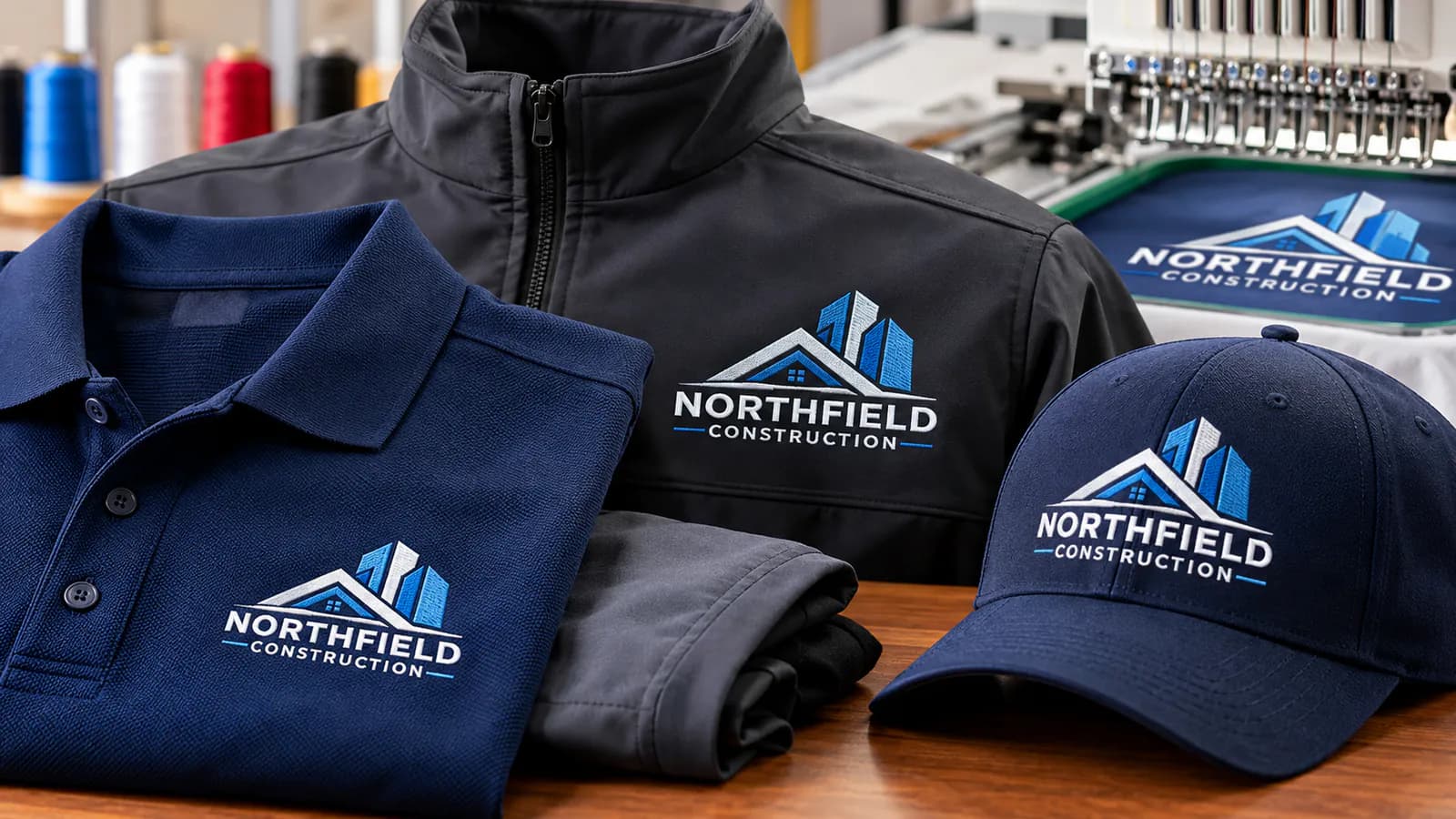
Embroidery Digitizing for Uniform Companies: Complete Guide
One logo. Three uniform styles. Hundreds of garments.
It sounds like a straightforward embroidery order—until the logo looks sharp on a polo shirt but sinks into a fleece jacket or becomes distorted on a cap.
For uniform suppliers, these small problems can quickly turn into missed deadlines, wasted garments, and unhappy customers.
That's why embroidery digitizing for uniform companies is about more than turning a logo into stitches. It's about creating files that work reliably on the actual garments you're decorating.
Whether you supply corporate uniforms, workwear, medical scrubs, hospitality apparel, or staff hats, the quality of your digitized embroidery files affects both your finished products and your production workflow.
At Tajima Digitizer, we create machine-ready embroidery files for uniform companies, embroidery shops, and apparel businesses.
This guide explains what makes a good uniform embroidery file, how to prepare designs for different fabrics, and how to avoid expensive mistakes before production begins.
What Is Embroidery Digitizing for Uniform Companies?
Embroidery digitizing converts a logo or artwork into stitch instructions that an embroidery machine can follow.
A regular image shows what a design looks like. An embroidery file tells the machine how to sew it.
That includes:
Where each stitch should go.
Which stitch types to use.
How densely to stitch each area.
Which parts of the logo to sew first.
Where to place trims and color changes.
How to compensate for fabric movement.
These decisions matter because thread behaves differently from ink.
For example, a printed logo can reproduce very thin lines. Embroidery has physical limits. Thread takes up space, fabric stretches, and closely packed stitches can distort fine details.
A professional digitizer adjusts the artwork so it can be reproduced effectively with thread while maintaining the brand's identity.
For uniform companies, the goal is simple: a recognizable, consistent logo that sews efficiently and looks professional on the intended garment.
Why Uniform Embroidery Requires More Than a Standard Logo File
Imagine a uniform company receiving an order for:
120 embroidered company polo shirts.
40 fleece jackets.
30 branded baseball caps.
The customer wants the same company logo on everything.
Can you use one embroidery file for all three products?
Usually, you shouldn't.
Each garment has different dimensions, fabric characteristics, and stitching requirements.
Polo Shirts: Prevent Puckering and Blurry Lettering
Corporate polos often use piqué or jersey-knit fabrics.
These materials can stretch during embroidery. The texture may also interfere with small lettering.
An effective polo logo file needs suitable underlay, controlled stitch density, and enough compensation to keep shapes aligned.
A left-chest logo around 3–4 inches wide is common, but the correct dimensions depend on the artwork and garment.
If the logo includes a small slogan, check whether the lettering will remain readable at the finished size.
Tajima Digitizer's logo embroidery digitizing service is designed for applications such as corporate polos, work shirts, and branded uniforms.
Fleece Jackets: Keep Stitches Above the Fabric Surface
Fleece presents a different challenge.
Its soft surface can allow embroidery stitches to sink into the material, making details appear less defined.
The digitizer may need to adjust underlay, stitch coverage, and design construction.
A suitable water-soluble topping during production can also help prevent stitches from disappearing into the fabric's texture.
A larger jacket-back logo needs separate attention to stitch lengths, fill patterns, density, and sequencing.
Don't simply enlarge the polo file.
Explore our jacket-back digitizing service when preparing larger embroidery designs for workwear and outerwear.
Baseball Caps: Account for the Curved Embroidery Surface
A cap isn't just a smaller shirt.
Cap fronts are curved, and many styles have structured panels that behave differently under a needle.
A design created for flat embroidery may shift, develop gaps, or lose alignment when sewn on a cap frame.
Cap digitizing often requires center-out and bottom-up sequencing, suitable underlay, and compensation for the curved surface.
Our cap and hat digitizing service prepares designs specifically for structured and unstructured caps.
The lesson for uniform companies is clear: the brand artwork can stay the same, but the embroidery file should match the product.
5 Details That Make or Break Uniform Embroidery Quality
Professional embroidery results depend on several technical decisions. You don't need to operate digitizing software yourself, but understanding these details helps you evaluate the files you receive.
1. Readable Small Lettering
Employee names, department labels, and corporate slogans are common on uniforms.
They're also easy to get wrong.
Letters with small openings, such as a, e, and o, may fill with thread when stitched too tightly.
As a starting point, lettering around 0.25 inches (6 mm) tall is practical for many standard embroidery fonts.
Smaller text can be possible with appropriate fonts, thread, needles, and stitch settings, but it needs careful testing.
When fine text is essential, small lettering digitizing can help produce cleaner names, titles, and logo taglines.
Production tip: If a customer insists on a very small slogan, test the lettering before approving a full uniform order. Removing or simplifying unreadable text often improves the result.
2. Appropriate Stitch Density
Stitch density describes how closely stitches are placed.
If stitches are too close together, the design may become stiff, cause puckering, or create excessive thread buildup.
If they're too far apart, the fabric may show through.
The ideal settings depend on the thread, stitch type, garment material, and design.
More stitches don't automatically mean better embroidery.
3. Proper Underlay
Underlay is the stitching beneath the visible embroidery.
It helps stabilize the fabric and support the top stitches.
The wrong underlay can leave a design uneven or add unnecessary bulk.
For example, a narrow letter needs a different foundation from a broad filled logo.
If you want to understand this technical detail, read our guide to underlay types in embroidery.
4. Pull Compensation
Fabric and thread move while embroidery is being sewn.
This movement can make shapes narrower than expected or cause borders to separate from filled areas.
Pull compensation adjusts the digitized design to account for this effect.
It is especially important for logos with outlines, satin borders, and small text.
5. Efficient Stitch Sequencing
Stitch sequencing determines the order in which the machine sews a design.
Unnecessary travel stitches, trims, and color changes can waste time during production.
For a single garment, those delays may seem minor.
Across hundreds of uniforms, they can become significant.
A well-planned stitch sequence balances appearance, stability, and machine efficiency.
How to Choose the Right Embroidery Setup for Each Uniform
Different garments require different preparation. Use this table as a starting point when planning orders.
Uniform type | Main challenge | What to prioritize |
|---|---|---|
Corporate polos | Stretch and textured knit | Clear small text, controlled density |
Work shirts | Logo alignment and placement | Accurate sizing and positioning |
Medical scrubs | Lightweight, flexible fabric | Lower bulk and suitable stabilizer |
Fleece jackets | Stitches sinking into fabric | Supportive underlay and suitable topping |
Baseball caps | Curved embroidery surface | Cap-specific digitizing and sequencing |
Uniform patches | Dense backgrounds and borders | Consistent fill coverage and clean edges |
These are general recommendations. The exact fabric, stabilizer, needle, thread, and machine settings should always be considered.
For security badges, school crests, and other embroidered emblems, Tajima Digitizer also provides custom patch digitizing.
How to Prepare Artwork for Bulk Uniform Embroidery
One of the easiest ways to improve embroidery quality is to provide better instructions before digitizing begins.
Sending only a company logo isn't always enough.
The digitizer needs to understand where and how the design will be stitched.
Use This Uniform Digitizing Order Checklist
Before submitting an order, confirm the following:
Artwork: Provide an AI, EPS, SVG, PDF, PNG, JPG, or another suitable reference file.
Garment type: Specify whether the design is for a polo, scrub, jacket, cap, patch, or other product.
Fabric: Mention the material when known, especially if it is stretchy, thick, textured, or delicate.
Finished size: Give the exact embroidery width and height.
Placement: Identify the left chest, sleeve, jacket back, cap front, or another location.
Thread colors: Provide approved thread-color numbers or brand-color references where available.
Machine format: Request the format supported by your embroidery machine.
Special instructions: Explain if the logo contains small text, difficult details, or multiple required sizes.
For example, instead of sending a file with the message "Please digitize this logo," use a more detailed brief:
Sample order instructions:
Design: Company logo with two lines of text
Garment: Navy piqué polo shirt
Placement: Left chest
Finished width: 3.5 inches
Thread colors: White and red
Machine format: DST
Quantity: 150 garments
Special request: Keep the company name readable and avoid unnecessary stiffness
This brief gives the digitizer enough context to make informed decisions.
It also reduces back-and-forth communication, which matters when you're working against a delivery deadline.
The Best Way to Handle Large Uniform Embroidery Orders
Bulk embroidery rewards preparation.
A small mistake on one sample can be corrected. The same mistake repeated across 200 shirts becomes a costly production issue.
Here's a practical workflow for uniform suppliers.
Step 1: Approve the Logo Size and Placement
Before digitizing, confirm the exact size and position of the logo with your customer.
Don't assume every customer wants the same left-chest dimensions.
Request a visual placement reference when the location is unusual.
Step 2: Prepare the Correct Embroidery Files
If the order includes several garment types, determine which applications require separate digitized files.
A polo, fleece jacket, and structured cap may need three different versions of the same logo.
Step 3: Review the Embroidery Preview
Check the design's proportions, lettering, fill areas, and color sequence.
At Tajima Digitizer, customers receive a stitch-out preview as part of the digitizing process.
Remember that a digital preview is not a replacement for sewing a physical sample.
Step 4: Run a Test Stitch-Out
Before beginning the full production run, embroider the design on the intended fabric.
Check for:
Puckering or stretching.
Blurry or crowded text.
Gaps between outlines and fills.
Exposed fabric in filled areas.
Excessively dense or stiff embroidery.
Incorrect thread colors.
Unnecessary machine stops or trims.
If something doesn't look right, document the issue with clear photographs and request a file correction.
Step 5: Save Your Approved Production Settings
Once the sample looks right, store the approved file with its production details.
Record the garment, final size, thread colors, stabilizer, needle, and relevant machine settings.
This creates a repeatable process for future orders.
Why Reorders Are Easier With a Well-Organized File Library
Repeat orders are a major part of the uniform business.
A restaurant may need uniforms for new employees. A construction company may add another crew. A hotel may replace worn staff apparel.
If you saved the correct embroidery files and production specifications, you don't have to rebuild the job from memory.
A simple naming system can help:
ClientName_Polo_LeftChest_3.5in.dstClientName_Jacket_Back_10in.dstClientName_Cap_Front.dst
Keep a copy of the approved artwork and thread-color information with each file.
If the client later changes garment materials or requests a different embroidery size, check whether the existing design is still suitable.
A useful rule: Reuse approved files for matching applications. Review or update them when the design, material, or dimensions change.
This approach reduces confusion between sales teams, production operators, and outside digitizing partners.
How Much Does Uniform Embroidery Digitizing Cost?
The cost of digitizing depends on the complexity, finished size, stitch requirements, and type of design.
Tajima Digitizer offers several services suitable for uniform businesses:
Service | Starting price |
|---|---|
Logo digitizing | $10 |
Small lettering | $8 |
Cap and hat digitizing | $15 |
Patch digitizing | $15 |
Jacket-back digitizing | $25 |
All prices are in USD. These are starting rates, and the final price may vary with artwork complexity and production requirements.
For companies regularly outsourcing multiple designs, Tajima Digitizer also offers custom quotes for bulk digitizing packages.
You can review the current options on our embroidery digitizing pricing page.
Is Professional Digitizing Worth the Cost?
Consider the total production cost—not just the price of preparing the file.
A poorly digitized logo may lead to extra trimming, thread breaks, rework, wasted garments, or delayed orders.
Good digitizing can reduce avoidable problems and help create a more predictable production process.
It doesn't replace correct machine setup or operator experience, but it gives those processes a stronger foundation.
Why Work With Tajima Digitizer for Uniform Embroidery Files?
Uniform suppliers need a digitizing partner who understands that the finished file will be used in real production—not just viewed on a screen.
Tajima Digitizer focuses on delivering machine-ready embroidery files that suit your artwork, garment, and embroidery requirements.
Here's what you can expect.
Hand-Digitized Designs
We prepare embroidery files with attention to stitch types, density, underlay, compensation, and sewing sequence.
The goal is a file that supports clean stitching on the intended garment.
Multiple Machine Formats
We supply common formats including DST, PES, EXP, JEF, VP3, HUS, PCS, and XXX.
Tell us which machine you use so we can provide the suitable format.
Fast Standard Turnaround
Our typical standard turnaround is 4–12 hours, depending on the design.
Pricing and delivery timing are confirmed before the order begins. Rush service may also be available.
Revision Support
Eligible corrections to the original order are available when reported within 30 calendar days of final delivery.
If an embroidery sample reveals an issue with the agreed design, send the details and photographs for review.
New artwork, additional sizes, and changed specifications may require a separate quote.
Convenient Online Ordering
You can upload your design and provide your requirements online.
Our team reviews the artwork, confirms your price and delivery estimate, and prepares the files after approval and payment.
You can learn more about the process on our How It Works page.
Frequently Asked Questions
Can I use one embroidery file for all company uniforms?
Sometimes, but not always.
If the finished size, fabric, and embroidery conditions are similar, the same file may be suitable.
However, caps, fleece jackets, large back designs, and small left-chest logos often require separate digitized versions.
Always test the file on the intended garment.
What is the best embroidery file format for uniform logos?
The best format depends on your machine.
DST is common in Tajima and commercial embroidery workflows. PES is widely used with Brother and Baby Lock machines, EXP with Melco, and JEF with Janome machines.
Confirm the requirements for your specific machine model before ordering.
Can you digitize employee names for work shirts?
Yes.
Names, job titles, and department labels can be prepared for embroidery.
Small lettering needs appropriate font choices, spacing, stitch construction, and finished dimensions.
How long does it take to digitize a uniform logo?
Tajima Digitizer's typical standard turnaround is 4–12 hours.
The actual delivery time depends on the artwork and is confirmed with the quote.
Do I need to pay for digitizing again on repeat orders?
If you already have an approved file and the embroidery requirements haven't changed, you can generally reuse it.
New sizes, revised logos, different garment surfaces, or other specification changes may require additional digitizing.
Does Tajima Digitizer sell finished embroidered uniforms?
Tajima Digitizer provides professional embroidery digitizing files rather than finished embroidered garments.
These files are used by uniform manufacturers, embroidery shops, and apparel decorators to produce embroidered products.
Final Thoughts: Better Files, Better Uniforms, Smoother Production
Uniform embroidery is about consistency.
Your customer expects the same logo to look professional whether it's stitched on the first shirt or the hundredth.
Reaching that standard takes more than a good embroidery machine.
It starts with the right artwork, accurate sizing, fabric-aware digitizing, and a properly tested stitch file.
For uniform companies, working with a reliable digitizing partner can make everyday production easier and help prevent problems that cost time and money.
Tajima Digitizer is here to help you prepare your next uniform embroidery order.
From corporate polos and employee workwear to caps, patches, and jacket-back designs, we provide professional files prepared for your specific application.
Ready to get started?
Explore our professional logo digitizing service or upload your artwork for a quote.
Get the right embroidery file before the first stitch—and give every uniform order a better start.